

 Resources


 Trending Articles


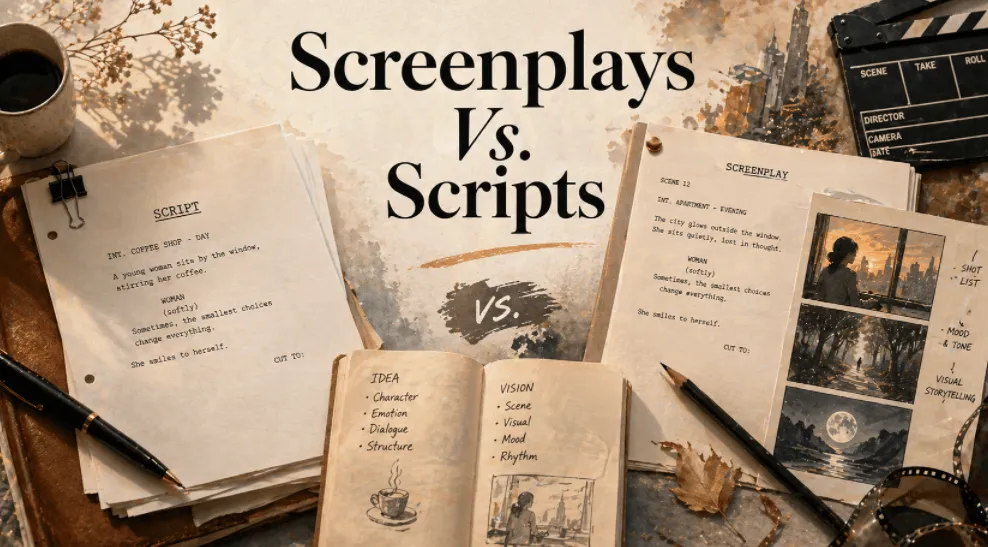
In 2026, AI video tools like GPT Image 2, Seedance 2.0, Kling 3.0 have democratized filmmaking. Anyone can now create animated series or micro-films without a professional crew. These Tools seem to eliminate all barriers to entry.
Yet many creators hit an unexpected wall: they write what they think is a "script", import it into AI tools, and get messy, misaligned visuals. They revise repeatedly, but without understanding storyboarding fundamentals, their results never match expectations. The problem isn't the AI—it's confusion between two distinct documents: scripts and screenplays.
This distinction, borrowed from traditional filmmaking but I adapted for AI creation, which is the key to producing AI videos with both narrative depth and visual coherence. Understanding this difference helps you choose the right tool for your workflow—and know when to let automation handle the complexity.

Create Narrative Videos Without Experience
No shot lists. No prompt engineering. Just your story. Novi AI's Video Agent automatically handles storyboard segmentation, visual continuity, and scene flow for you.
- Why This Confusion Kills Your AI Videos
- Scripts vs. Screenplays in AI Creation: What's The Difference
- Quick Reference: Scripts vs. Screenplays
- Why AI Tools Created Two Different Workflows
- Introducing Novi AI: Your Complete Script to Video Platform
- How to Use Novi AI to Create Storyboard Videos
- FAQs
- Conclusion
Why This Confusion Kills Your AI Videos
When you feed an AI tool a document labeled "script," what does it actually contain? If you're like most beginners, it's probably a story outline with dialogue—essentially a narrative script. You've described what happens but not how to show it.
Traditional AI video generators don't interpret intention the way a human director does. They need explicit instructions: shot types, camera movements, timing, visual continuity. Without these technical specifications, even the most emotionally resonant story becomes a disjointed sequence of scenes.
The cost of this confusion is high: wasted generation credits, hours of re-prompting, and videos that feel amateurish despite good story bones. This is where understanding the difference between scripts and screenplays becomes crucial—not necessarily to write them yourself, but to understand what your AI tool needs to succeed.
Two Paths in AI Video Creation
Path 1Automated Video Agent (Beginner-Friendly)
You write a script with your story, paste it into a Video Agent tool, and receive a complete narrative video automatically. The AI handles all technical decisions: shot selection, pacing, visual continuity, character consistency. No cinematography knowledge required.
Try It OnlinePath 2Manual Video Models (Advanced Control)
You write detailed screenplays specifying every shot, use individual AI video models (Seedance 2.0, Veo 3.1, Kling, etc.) to generate each scene frame-by-frame, then assemble them manually. Full creative control, but requires understanding shot composition, camera movements, and prompt engineering.
Most beginners should start with Path 1. But understanding what screenplays are—even if you never write one—helps you appreciate what the automation is doing for you, and prepares you if you eventually want advanced control.
Scripts vs. Screenplays in AI Creation: What's The Difference
Traditional film terminology doesn't map perfectly to AI workflows, so let's clarify what these terms mean in our context:
Scripts: Your Story Foundation
A script in AI video creation is your narrative backbone. It focuses on storytelling elements: character development, dialogue, emotional beats, and plot progression. Think of it as a detailed story outline that captures the heart of what you're trying to communicate.
Core characteristics:
- Written in flowing prose, prioritizing readability
- Includes character backgrounds, motivations, and relationships
- Contains dialogue that reveals personality and advances plot
- Describes scenes through atmosphere and emotion rather than camera angles
- Optimized for AI text analysis and story comprehension
Example from an AI comic series, Starry Journey:
[Scene] A corner café bathed in afternoon sunlight. Golden rays stream through tall windows, pooling on wooden tables.
[Characters] Emma, 28, marketing intern, shoulders tight with tension beneath her blazer. Chen Wei, 30, senior colleague, projects calm competence.
[Dialogue]
Emma (pressing fingertips to temples): "This proposal was rejected again. I honestly don't know what's wrong with it."
Chen Wei (sliding a cappuccino across the table): "Don't be discouraged. I reviewed your work—the core concept is solid. The issue is in execution details. Let's troubleshoot together."
[Plot] Emma looks up, cautious hope flickering in her eyes. She accepts the coffee, and they lean together over her laptop.
This script tells us who these people are, what they care about, and why this moment matters. It doesn't tell us how to film it—and if you're using a Video Agent, it doesn't need to.
Screenplays: Your Technical Blueprint
A screenplay for AI creation takes your script and adds production specifications. It's the instruction manual that tells AI video models exactly what to generate, shot by shot.
In 2026, AI screenplays aren't traditional film shooting scripts—they're detailed prompt sequences for individual video model generation. This is the document you'd use with tools like Seedance 2.0 or Veo 3.1 when you want frame-by-frame control.
Core characteristics:
- Broken into numbered shots with specific durations
- Specifies shot types (wide, medium, close-up, extreme close-up)
- Notes camera movement (static, pan, dolly, zoom)
- Includes audio cues (dialogue delivery, sound effects, music)
- Details character actions and expressions at the micro-level
- Each shot becomes a separate prompt for video model generation
Example screenplay for the same Starry Journey scene:
[Shot 1] (3 seconds, wide shot, static)
Corner café interior. Afternoon sunlight streams through floor-to-ceiling windows, creating geometric light patterns on oak tables. Background ambiance: espresso machine hissing, low murmur of conversation. Warm color temperature, soft shadows. Cinematic lighting.
[Shot 2] (2 seconds, medium shot, slow push-in)
Emma sits at a two-person table, navy blazer rumpled. She rubs her temples with both index fingers, brow furrowed, jaw tight. Shallow breathing visible. Focus on upper body and face. Natural indoor lighting from window.
[Shot 3] (2 seconds, medium shot, static)
Chen Wei enters frame from right, holding a white ceramic cup. Her expression is warm, eyebrows slightly raised in concern. She moves with deliberate calm. Side angle, catching both her face and Emma in background. Depth of field emphasizes Chen Wei.
[Shot 4] (3 seconds, close-up, static)
Emma's face as she looks up. Eyes shift from downcast to meeting Chen Wei's gaze. Pupils dilate slightly. Corners of mouth lift almost imperceptibly. She extends her hand toward the offered cup, fingertips wrapping around warm ceramic. Soft focus on background.
[Dialogue]
Emma (voice slightly hoarse, defeated tone): "This proposal was rejected again. I honestly don't know what's wrong with it."
Chen Wei (gentle tone, moderate pace): "Don't be discouraged. I reviewed your work—the core concept is solid. The issue is in execution details. Let's troubleshoot together."
[Audio] Soft piano background score (melancholy but hopeful). Subtle foley: ceramic cup placed on wood table, chair creaking as Emma shifts forward.
Notice how much more specific this is. Every visual element is quantified. If you were generating this manually using individual video models, you'd feed each shot as a separate prompt, generate four videos, then assemble them.
This level of detail gives you maximum control—but also requires significant time and technical knowledge.
Quick Reference: Scripts vs. Screenplays
| Aspect | Script | Screenplay |
|---|---|---|
| Primary Purpose | Conveys story essence—plot, characters, emotional arc | Provides technical specifications for manual video generation |
| Content Focus | Narrative flow, dialogue, character development, thematic elements | Shot composition, camera work, timing, audio-visual sync |
| Technical Detail Level | Minimal—describes scenes through mood and action | Extensive—specifies every technical parameter |
| Creation Difficulty | Lower barrier—if you can tell a story, you can write this | Higher complexity—requires understanding of cinematography basics |
| When You Use It | For Video Agent automation OR as foundation before manual work | For manual generation using individual video models |
| Tools That Need It | Video Agent tools (Novi AI) - they read your script automatically | Manual video models (Seedance, Veo, Kling) - each shot needs prompts |
| Role in Production | The "soul"—determines if your story resonates emotionally | The "blueprint"—determines exact visual execution in manual workflows |
| Time Investment | Moderate—focus on story quality | High—requires writing detailed prompts for every shot |
Why AI Tools Created Two Different Workflows
Here's why the AI video landscape split into automated and manual paths:
The Manual Model Problem: Early AI video tools (and current standalone models like Seedance 2.0, Veo 3.1) generate one short clip at a time. To create a narrative video, you'd need to:
- Write a detailed screenplay with shot-by-shot specifications
- Generate each shot separately using precise prompts
- Ensure visual consistency across shots (same characters, locations, lighting)
- Manually assemble all clips into a coherent sequence
- Add dialogue, sound effects, and music in post-production
This workflow offers complete creative control but demands significant technical expertise and time.
The Video Agent Solution: Tools like Novi AI's Video Agent recognize that most creators just want to tell stories, not become cinematographers. The Video Agent reads your script, automatically makes all technical decisions (shot types, pacing, transitions, visual continuity), and generates a complete narrative video in one process.
You're trading granular control for speed and accessibility—which is exactly what most creators need.
Introducing Novi AI: Your Complete Video Creation Platform
Novi AI offers both workflows under one roof, letting you choose your path based on your needs and expertise:
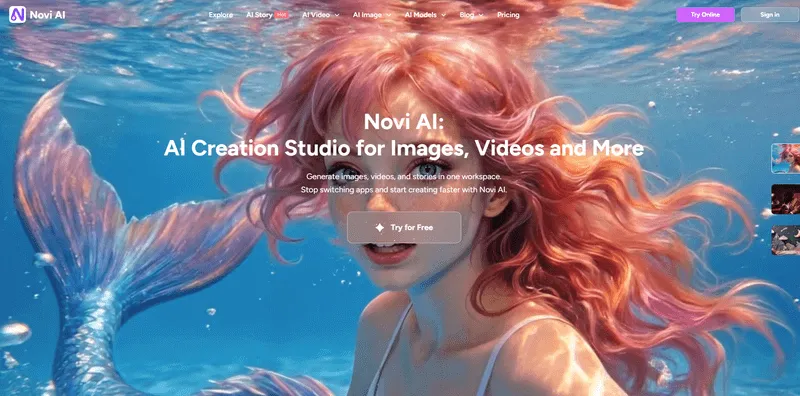
For Beginners: Video Agent (Automated Path)
What it does: Transforms scripts directly into complete storyboard videos with zero technical knowledge required.
Key capabilities:
- One-click script-to-video: Paste your script, select a visual style (Ghibli, Pixar, Cinematic, etc.), and receive a finished narrative video
- Automatic storyboard segmentation: Intelligently breaks your script into properly paced shots
- Character consistency: Maintains visual continuity for characters across all scenes
- Audio-visual synchronization: Handles dialogue timing, sound effects, and background music
- Multi-language support: 50+ AI voices covering 60+ languages and 120+ countries
- Style variety: Choose from anime, realistic, cartoon, and cinematic visual styles
- Unified visual narrative: Ensures coherent look and feel throughout your video
Who should use it: Anyone who wants to create narrative videos without learning shot composition, camera movements, or prompt engineering. Perfect for content creators, educators, marketers, and storytellers who want results fast.
Coming soon: Natural dialogue between characters, narration, and customizable subtitles.
For Advanced Users: Video Models (Manual Path)
What it includes: Direct access to leading AI video generation models for frame-by-frame control.
Available models:
- Seedance 2.0
- Google Veo 3.1
- Kling 2.5 Turbo
- Sora 2
- Nano Banana Pro
- Seedream (for image generation)
- 10+ video models total
Key capabilities:
- Text-to-video generation: Write detailed prompts, generate specific clips
- Image-to-video generation: Animate static images with precise control
- Style flexibility: Each model has unique strengths (realism, animation, motion quality)
- Complete creative control: Specify every visual parameter
Who should use it: Experienced creators who understand cinematography, need specific visual results, or want to experiment with cutting-edge model capabilities. Also useful for generating storyboard reference images before using Video Agent.
Additional Features Across Both Paths:
- AI Story Expansion: If your script needs development, the tool suggests plot enhancements, character depth, and pacing improvements
- GPT Image 2 Integration: Generate storyboard images for anime series, product commercials, or visual references
- Coin-based pricing: Pay only for what you use, with cross-platform sync between web and mobile
Which Video Creation Path Is Right for You?
| Workflow Type | Best For |
|---|---|
| Video Agent (Automated) | Beginners, quick testing, scale production, narrative focus |
| Video Models (Manual) | Specific visuals, technical users, hero content, frame-perfect control |
Many creators use Video Agent for rapid prototyping and initial versions, then recreate key scenes manually using Video Models for final polish. This combines speed with selective perfectionism.
How to Use Novi AI to Create Storyboard Videos
Here's how to effectively use scripts and choose your creation path:
Step 1 Write a Solid Script
Start with story, always. Focus on character arcs, emotional beats, and plot logic. Write in flowing prose without worrying about shot types or camera angles.
Pro tip for Video Agent users: Be specific with actions and emotions, but you don't need to describe every visual detail. Instead of vague descriptions like "he was happy," write "His lips curved upward, eyes crinkling at the corners, fists clenching and pumping once in victory." This helps the Video Agent generate expressive visuals.
Pro tip for Manual Model users: Even if you plan to generate manually, start with a script. It keeps your story coherent before you get lost in technical details.
Step 2A Automated Path with Video Agent
Paste your script into Novi AI's Video Agent. Select your visual style (anime, Pixar-style, cinematic, Ghibli-inspired, etc.). Choose voice preferences if you want specific narrator or character voices. Generate and receive your complete storyboard video.
The Video Agent automatically handles breaking your script into appropriately paced shots, selecting shot types that match emotional beats, maintaining character visual consistency, synchronizing dialogue with character mouth movements, adding appropriate background music and sound effects, and creating smooth transitions between scenes.
Review and iterate: If the output doesn't match your vision, refine your script rather than trying to manually edit shots. Add more specific character descriptions, clarify scene atmospheres, or adjust pacing by restructuring your narrative.
Step 2B Manual Path with Video Models
Convert your script into a detailed screenplay with shot-by-shot specifications. For each shot, write a precise prompt including: shot type, camera movement, duration, character actions, lighting, mood, visual style. Generate each shot individually using your chosen model (Seedance 2.0, Veo 3.1, etc.). Review each clip and regenerate as needed to achieve consistency. Assemble all clips manually in editing software. Add dialogue, sound effects, and music in post-production.
Pro tip: Use GPT Image 2 in Novi AI to generate reference storyboard images first. This ensures visual consistency before committing to video generation. Feed these images to Seedance 2.0 or other models using image-to-video features.
FAQs
1Do I need to learn screenplay writing to use Novi AI's Video Agent?
No. The Video Agent is specifically designed so you never need to write screenplays or understand shot terminology. Just write a good script—a clear story with characters, dialogue, and scenes—and the automation handles everything technical.
Understanding what screenplays are helps you appreciate what's happening behind the scenes and can improve your script quality. It's also useful if you ever decide to use Manual Models for specific projects.
2If Video Agent is fully automated, why do I need to know about screenplays at all?
Better scripts produce better videos. When you understand that Video Agent makes cinematographic decisions (shot selection, pacing, camera movement), you'll naturally include more visual detail and emotional specificity in your writing. This knowledge also helps troubleshooting—if pacing feels off, add more scene description; if emotions seem unclear, specify character actions more precisely.
Understanding screenplays also prepares you for future flexibility. You might eventually want the control of Manual Models for specific projects, and this foundation makes that transition easier.
3Can I start with Video Agent and then manually refine specific shots using Video Models?
Currently, Novi AI's workflow separates these paths—you can't extract individual shots from Video Agent output and replace them. However, you can generate your video with Video Agent, identify scenes needing different treatment, then recreate just those specific shots manually using Video Models with detailed prompts. Export both and combine them in editing software outside Novi AI.
4How detailed should my script be for Video Agent?
Balance is key. Include character descriptions (name, age, key traits, personality), scene settings (location, time, atmosphere), character actions and gestures, and dialogue with tone indicators. This gives Video Agent direction without being prescriptive.
Skip technical specifications like shot types, camera movements, lighting details, or exact durations. The Video Agent makes these choices automatically—your job is storytelling, its job is cinematography.
5What if I don't like the shot choices Video Agent makes automatically?
First, try refining your script rather than fighting the automation. Unclear output often means the script didn't provide enough context, so add more specific emotional or physical details.
If you consistently need different shot selection than Video Agent provides, that's a signal you might want Manual Path control. Some creators have very specific visual styles that require hand-crafting every shot.
6Are Video Agent results "good enough" for professional use, or do I need Manual Models for quality?
Video Agent is professional-grade for educational content, social media marketing, YouTube storytelling, corporate communications, rapid content production, and web series where consistency matters more than perfection. Many professional creators use it for 90% of their output.
Manual Models make sense for brand commercials with strict visual guidelines, high-budget productions, experimental artistic projects, content replicating a specific director's style, or projects requiring perfect synchronization with external assets. There's no shame in automation—your audience cares about story quality, not whether you manually prompted every shot.
7Can I use the same script for both Video Agent and Manual Models?
Yes, with caveats. A script written for Video Agent will work as a starting point for Manual Models, but you'll need to expand it significantly with detailed shot descriptions and technical specifications.
If you've written a detailed screenplay for Manual Models, you can strip out technical annotations and feed the narrative portions to Video Agent—but you're doing unnecessary work. Just write scripts for Video Agent from the start.
8How long does Video Agent take compared to Manual Model generation?
Video Agent takes minutes to tens of minutes depending on complexity—a 60-second video might generate in 3-5 minutes, while a 5-minute narrative could take 15-30 minutes.
Manual Models take hours to days. Each shot requires 2-5 minutes of generation time, plus assembly and audio work. A 60-second video with 10-15 shots, multiplied by regenerations for consistency issues, means several hours minimum. For creators producing regular content, Video Agent's speed advantage is transformative.
Conclusion
Neither approach is superior—they serve different goals and personalities. The democratization of filmmaking through AI is real, but like any powerful tool, it rewards clarity of purpose. Know whether you're telling stories or crafting visuals, when to automate and when to control, and the difference between scripts and screenplays. Then create something worth watching.
Was this page helpful?

Article by
Aaron Smith


![Best AI Animation Tools in 2026: Top 5 Platforms Compared [Free & Paid]](https://images.noviai.ai/noviaien/assets/article/story-tips/best_ai_animation_generator.webp)