Resources


 Trending Articles



Free InVideo AI Alternative - Novi AI
Novi AI is a browser-based AI video creation platform that turns text and scripts into engaging videos — new users get 80 free coins at signup and an extra 100 coins for joining the Discord community.
InVideo AI has been a go-to tool for content creators who want to turn text into videos quickly. It is powerful, no doubt about that.
But here is the thing.
After using it for several months, I noticed some real limitations. The free plan slaps a watermark on everything. The pricing jumps quickly once you need more features. And sometimes, the AI just does not give you the control you want.
That is why I started exploring InVideo AI alternatives—tools that might offer better value, more creative freedom, or simply a different approach to AI video generation.
If you are in the same boat, this guide is for you. I have tested dozens of options and narrowed it down to the ones actually worth your time.
- What Makes a Good InVideo AI Alternative?
- Best InVideo AI Alternatives (Tested & Reviewed)
- 1. Novi AI — Best Free InVideo AI Alternative

- 2. Synthesia — Best for Corporate & Training Videos
- 3. Pictory — Best for Turning Articles into Videos
- 4. Runway ML — Best for High-End Creative Control
- 5. Luma Dream Machine — Best for Visual Quality
- 6. VEED — Best for Fast Social Media Workflows
- 7. HeyGen — Best for AI Talking Videos
- 8. CapCut — Best Free All-in-One Editor
- 1. Novi AI — Best Free InVideo AI Alternative
- Which InVideo AI Alternative Should You Choose?
- FAQs
- Final Thoughts
What Makes a Good InVideo AI Alternative?
Before diving into specific tools, let us talk about what actually matters when choosing an alternative to InVideo AI.
- Ease of Use: The whole point of AI video tools is saving time. If you need a PhD to figure out the interface, it defeats the purpose.
- AI Generation Quality: Can the tool create videos that look professional? Does the AI understand your prompts well? These questions matter more than fancy marketing.
- Customization Control: Some tools give you a finished video with zero editing options. Others let you tweak every frame. Depending on your needs, one approach works better than the other.
- Free Plan & Watermark Policy: Let us be real—watermarks kill professional content. The best free InVideo AI alternatives should offer clean exports without branding.
- Speed & Output Quality: Fast generation means nothing if the final video looks pixelated. You need both speed and quality.
Best InVideo AI Alternatives (Tested & Reviewed)
I have personally tested each InVideo AI alternative on this list. Here's what I found—hope it helps you choose the one that best suits your needs.
| Tool | Product Positioning | Free Plan / Credits | Entry Price (Monthly) | Pricing | Best For |
|---|---|---|---|---|---|
| InVideo AI | End-to-end AI video production system (idea → full video) | Free plan (free 5 credits) | ~$25/mo | Subscription (400 Nano banana pro, 800 Nano banana 2 generations) | Fast full video creation |
| Novi AI | AI video creation studio (script/image → multi-scene video) | Free credits (80 coins, ~4 videos) | $14.99/mo | Coin-based + subscription | Automated storytelling & faceless video generation |
| Synthesia | AI avatar video platform | Limited demo video (usable for up to 10 mins of video/mo) | $14/mo | Subscription (video minutes) | Training & corporate videos |
| Pictory | Article-to-video tool | Limited free trial (1 day) | $29/mo | Subscription | Blog → video repurposing |
| Runway | Advanced AI video generation suite | 125 credits (one-time) | $15/mo | Credit-based + subscription | Creative / filmmaking |
| Luma Dream Machine | High-quality AI video generator | Limited free trial (1 day) | $9.99/mo | Credit-based + subscription | Cinematic visuals |
| VEED | AI-assisted video editor | Free plan (watermark) | $20/mo | Subscription | Social media editing |
| HeyGen | AI avatar generator | ~3 videos/month | ~$29/mo | Subscription | Talking videos / education |
| CapCut | AI + traditional editor | Generous free plan | ~$7.99/mo | Freemium | Short-form creators and video editor |
1Novi AI — Best Free InVideo AI Alternative
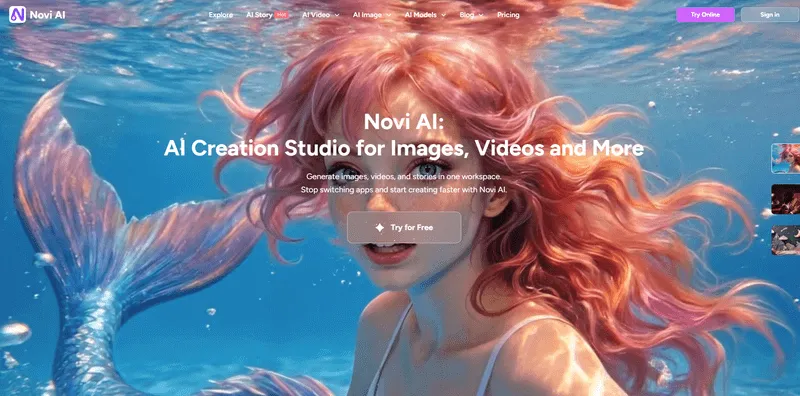
After testing multiple tools, I realized that Novi AI and InVideo AI actually take very different approaches to video creation—and that difference matters more than I expected.
InVideo AI is designed as a fully automated video production system. You give it an idea, and it handles everything—from scriptwriting to visuals, voiceover, and editing.
Novi AI, on the other hand, feels more like a creative generation tool, where you guide the output more directly instead of relying on a fully automated pipeline.
Key Features:
- Text-to-video generation for creating visual scenes from prompts
- Image-to-video for turning static visuals into short clips
- Prompt-driven workflow with flexible creative input
- Lightweight browser-based experience
 Pros
Pros
- More control over how scenes and visuals are generated
- Flexible workflow compared to fully automated tools
- Great for experimenting with different creative directions
- Fast for generating short-form and long-form video content
 Cons
Cons
- Does not automate the entire video production process like InVideo AI
- Requires better prompts to get consistent results
Best For: Creators who prefer creative control over automation, especially when making long-form videos, visual experiments, or content for TikTok and Reels.
If InVideo AI feels like having a full production team that does everything for you, Novi AI feels more like a creative partner.
Personally, I found Novi AI more enjoyable when I wanted to experiment and control the output. But if your goal is to quickly generate a complete, ready-to-publish video with minimal effort, InVideo AI still has the edge.
2Synthesia — Best for Corporate & Training Videos

Synthesia is very different from most InVideo AI alternatives. Instead of generating scenes or storytelling videos, it focuses on AI avatar presentations.
When I tested it, it felt more like creating a PowerPoint presenter than making a typical video.
Key Features:
- AI avatar-based video generation from scripts
- Supports multiple languages for global communication
- Structured, presentation-style video output
- Browser-based workflow with minimal setup
Pros
- Turns scripts into videos with realistic AI presenters
- Supports multiple languages for global teams
- Keeps everything structured and consistent
Cons
- Not designed for creative or social content
- Limited visual storytelling compared to tools like InVideo AI
Best For: If you're creating training videos, onboarding content, or internal business communication, Synthesia makes the process extremely simple and efficient.
Compared to InVideo AI, Synthesia is much more niche. It's great for business use, but not a general-purpose alternative.
3Pictory — Best for Turning Articles into Videos

Pictory is one of the few tools that really focuses on content repurposing.
What I liked is how easily it can turn a blog post or long script into a structured video. It basically does the "summarize + visualize" step for you.
Pros
- Converts articles into short videos quickly
- Adds captions automatically, ideal for social media
- Works well with long-form content
Cons
- Visuals can feel generic compared to AI-generated tools
- Limited control over creative direction
Best For: Bloggers, SEO teams, and marketers who want to quickly turn written content into engaging video formats at scale.
Compared to InVideo AI, Pictory is less flexible but more focused. It's a good shortcut tool, not a creative one.
4Runway ML — Best for High-End Creative Control

Runway is on the opposite end of the spectrum from tools like InVideo AI.
Instead of automating everything, it gives you deep control over how videos are generated and edited, like Novi AI.
When I used it, it felt closer to a professional creative tool than a typical AI generator.
Pros
- Advanced AI video generation (Gen-2 and beyond)
- Precise control over motion and visual effects
- Suitable for experimental and cinematic projects
Cons
- Not beginner-friendly
- Requires time to learn and refine outputs
Best For: Creators who want maximum control over visuals and are interested in AI filmmaking or high-end experimental video production.
If InVideo AI is about speed and automation, Runway is about control and quality. Totally different use cases.
5Luma Dream Machine — Best for Visual Quality

Luma focuses heavily on realism and motion quality.
The first thing I noticed is that its outputs often look more "natural" compared to many AI video tools.
Pros
- Generates visually impressive and realistic clips
- Strong motion consistency across scenes
- Well-suited for cinematic-style visuals
Cons
- Not a full video creation tool (no full workflow)
- Limited editing and structural control
Best For: Creators who care more about visual quality and cinematic output than building complete, structured videos.
Compared to InVideo AI, Luma is more like a visual generator, not a full production system.
6VEED — Best for Fast Social Media Workflows

VEED feels more like a smart video editor than a pure AI generator.
It doesn't try to fully replace the workflow like InVideo AI does—but it makes editing much faster.
Pros
- Quick subtitle generation for videos
- Easy resizing for different social media platforms
- Simple and beginner-friendly interface
Cons
- AI video generation capabilities are relatively basic
- Still relies heavily on manual editing workflows
Best For: Social media managers who need fast editing, subtitle generation, and quick publishing rather than full AI video creation from scratch.
If InVideo AI replaces editing, VEED still depends on it—but makes it easier.
7HeyGen — Best for AI Talking Videos

HeyGen is very similar to Synthesia, but slightly more flexible in terms of style and voice.
It focuses almost entirely on talking avatar videos.
Pros
- Realistic AI avatars
- Voice cloning and localization support
- Clean, presentation-style video output
Cons
- Very limited use cases beyond avatar-based videos
- Not suitable for storytelling or dynamic visual content
Best For: Creators making educational videos, explainers, or online courses.
Like Synthesia, this is a specialized tool, not a full InVideo AI replacement.
8CapCut — Best Free All-in-One Editor

CapCut is probably the most accessible tool on this list.
It's not as "AI-first" as InVideo AI, but its AI features are improving quickly—and it's completely free.
Pros
- Strong video editing features
- Built-in effects and ready-to-use templates
- Seamless integration with TikTok workflows
Cons
- AI video generation features are still relatively limited
- Interface can feel cluttered with too many options
Best For: Creators who want a free all-in-one tool combining traditional editing with basic AI-powered features.
CapCut is not a direct InVideo AI alternative—but if you're willing to edit manually, it's one of the most practical free options.
Which InVideo AI Alternative Should You Choose?
Different creators need different tools. Here is my quick recommendation:
For Beginners: Start with Novi AI or CapCut. Both are free, easy to learn, and produce quality results without watermarks.
For Content Creators: Novi AI handles story-driven content beautifully. Pair it with CapCut for final edits, and you have a powerful free workflow.
For Marketers: Consider Pictory for repurposing content or Synthesia for professional presentations. The investment pays off in production value.
For Advanced Users: Runway ML gives you maximum control but expects more from you in return.
FAQs
1What is the best InVideo AI alternative?
Based on my testing, Novi AI offers the best balance of features, quality, and price. It matches InVideo core capabilities while providing free watermark-free exports—something InVideo does not offer.
2Is there a free alternative to InVideo AI?
Yes. Novi AI and CapCut both offer genuinely free tiers with useful features. Novi AI specifically focuses on AI video generation similar to InVideo but without the watermark restrictions.
3Which InVideo alternative has no watermark?
Novi AI exports videos without watermarks. CapCut also offers watermark-free exports. Most other tools require a paid subscription for clean exports.
4Are free AI video tools worth it?
Absolutely. Tools like Novi AI have matured significantly. You can create professional-looking content without spending anything. The key is choosing the right tool for your specific needs rather than assuming paid always means better.
Final Thoughts
Finding the right InVideo AI alternative depends on what frustrated you about InVideo in the first place.
If it is the watermarks and pricing, Novi AI solves both problems immediately.
If you need more advanced AI capabilities, Runway ML delivers.
If professional avatars are your priority, Synthesia wins.
I would suggest starting with Novi AI since it is free and genuinely useful. You can always upgrade to paid tools later if your needs grow.
The AI video space is evolving fast. What matters is finding a tool that works for your workflow today—and Novi AI has been that tool for me.

Try Novi AI Now
Was this page helpful?

Article by
Aaron Smith