


 Resources


 Trending Articles

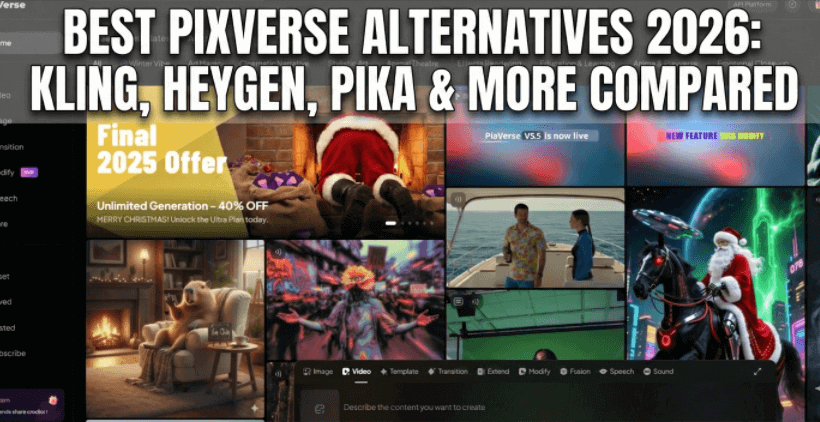
Throughout 2025, AI video generation tools have evolved rapidly and reached full maturity. You no longer need professional editing skills—anyone can now create high-quality videos from just a text prompt or a single image. Because of this accessibility, users are no longer satisfied with tools that merely 'work.' They're now looking for solutions that are intuitive, versatile, and cost-effective, with a growing demand for premium alternatives.
This is why even users who've grown comfortable with PixVerse are still exploring better options. Perhaps you need more robust lip-sync and voiceover features, more flexible export permissions, seamless browser-based workflows, or the privacy and customization that comes with local deployment. In this article, we'll review the best PixVerse alternatives available today—from web-based tools that require no downloads and let you start creating immediately for quick, lightweight projects, to locally deployable AI models suited for professional-grade work and enhanced privacy protection. Our goal is to help creators with different needs and workflows find the perfect fit and tackle any AI video generation challenge with ease.

Best PixVerse AI Alternative
Novi AI brings together the best AI video tools in one unified platform. Access multiple AI video generators, compare results side-by-side, and create stunning videos without jumping between different tools.

PixVerse AI Review
PixVerse has established itself as a versatile AI video generation tool that balances creative control with accessibility. What stands out immediately is the native 9:16 vertical format support and motion intensity controls—features that give you precise command over pacing and visual flow, whether you're producing YouTube Shorts, social media clips, or short-form narratives.
The character consistency feature is particularly valuable for creators building serialized content or recurring digital personas. Combined with the accurate lip-sync capabilities and 1080P output quality, PixVerse delivers professional-grade results that don't immediately scream "AI-generated." The auto multi-shot feature adds natural angle variations within clips, helping maintain viewer engagement without manual editing.
However, limitations emerge depending on your workflow. The 8-second clip limit means longer projects require stitching multiple clips together. The free tier includes watermarks, pushing serious creators toward paid plans. And while PixVerse excels at creator-focused video production, it lacks specialized features for corporate training, bulk automation, or enterprise-scale localization.
 Pros
Pros
- Native vertical format with precise motion controls for social-first content.
- Character consistency across clips for serialized projects.
- Professional 1080P output with natural lip-sync.
- Auto multi-shot feature for dynamic angle switching.
- Mobile-optimized subtitle customization.
 Cons
Cons
- 8-second clip limit requires stitching for longer content.
- Free version watermarked.
- Limited enterprise features.
Top 8 PixVerse Online Alternatives
While PixVerse handles creator-focused video production well, the AI video landscape now offers specialized solutions for vastly different needs. The alternatives below include integrated multi-model platforms for testing different AI engines, corporate presentation tools with multilingual avatars, blog-to-video automation, and PPT conversion—each designed to solve problems outside PixVerse's core strengths. Whether you need privacy-first local deployment, enterprise-scale training content, or one-click social media automation, here's where to look.
| Platform | Free plan | Starting paid | Key feature | Best for |
|---|---|---|---|---|
| PixVerse | 90 initial / 60 daily credits | $10/mo | Multi-style speed | Social media clips |
| Novi AI | Free benefits + 10+ LLMs | $14.99/mo | Multi-model AI Creation Hub | One workspace + Image/Video/Long Video Generation |
| HeyGen | 1 free credit (approx. 1 min) | $29/mo ($24 billed annually) | AI video translation | Creator lip-sync + personal avatar clones |
| Kling AI | 66 credits/day | $10/mo | Realistic motion | High-fidelity human animation |
| Synthesia | 3 min/mo (9 avatars) | $29/mo ($18/mo annual) | Talking avatars | Training/L&D at scale |
| Pika | ~30 daily credits | $10/mo | Creative edits | Cinematic control + iterations |
| Vidu AI | Limited daily credits | $9.99/mo | High speed | Fast coherent short clips |
| Fliki | Limited free minutes | $28/mo | Stock + voice | Faceless content quickly |
| Short.AI | Limited trial | $19/mo | Auto repurpose | Long → viral shorts |
1Novi AI
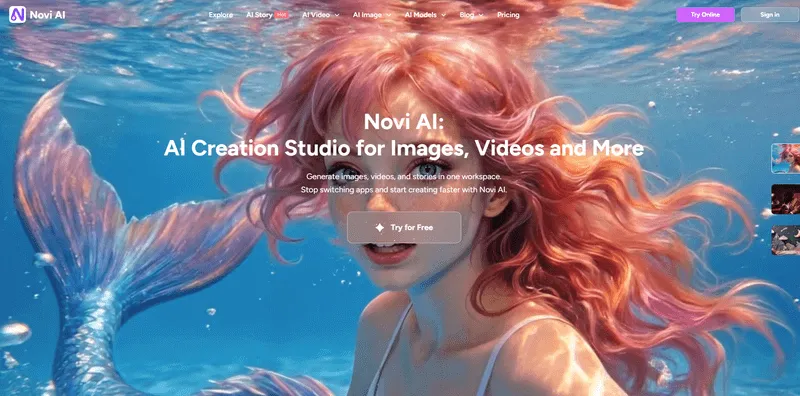
Novi AI is my go-to when I don't want to juggle multiple subscriptions. What I love most is having Kling, Vidu, Veo, and PixVerse all in one interface—I can test different models for the same prompt and pick whichever looks best.
You can use either the Novi AI desktop app or their web version with a models marketplace, which gives you flexibility depending on whether you're working from your main computer or need quick access from a browser.
Features
- Access world-class models like Kling, Vidu, and Veo without switching tabs or managing multiple subscriptions.
- Browse our marketplace to find and use custom setups that do the hard work for you.
- Use the "Long Story to Video" tool to create cinematic, multi-scene videos with professional camera angles—all from a single prompt.
Pros
- No need for multiple subscriptions
- Local model option for privacy
- Beginner-friendly with one-click setup
Cons
- Free tier limited to 720p
- Daily export limits for non-paying users
2HeyGen AI Video Generator

HeyGen is what I use when I need a professional-looking "talking head" video without hiring actors or renting a studio. The AI avatars are surprisingly lifelike—clients often can't tell they're synthetic until I mention it.
What really stands out is the speed. I can turn a script into a fully narrated corporate training video in minutes, complete with branded backgrounds and 140+ language options. For enterprise teams, the LMS integration is a huge timesaver.
The downside? It's laser-focused on presenter-style content, so if you want creative, cinematic visuals or artistic effects, you'll be disappointed. The avatars also still have that slight "uncanny valley" feel in close-ups.
Features:
- Lifelike AI avatars for presenter-style videos.
- 140+ language translation.
- LMS integration for enterprise.
Pros
- Extremely fast script-to-video workflow
- Brand Kit for consistent corporate styling
- No cameras or actors needed
Cons
- Limited to talking-head format
- Avatars have slight uncanny valley effect
3Kling AI

Kling AI is my favorite alternative when I need truly cinematic results. The motion quality is noticeably smoother than PixVerse—camera movements feel professional, and physics look realistic rather than floaty.
The biggest differentiator is video length: Kling can generate clips up to three minutes long, whereas most competitors max out around 15 seconds. The new audio generation feature is equally impressive—it creates matching sound effects and voiceovers in a single pass, saving me hours of editing. Additionally, the motion transfer technology introduced in Kling 2.6 allows static images to perform continuous actions synced to the rhythm of a reference video, which is a completely new way of working.
That said, Kling can be picky about prompts. If your instructions are vague, it sometimes produces something wildly off-target, and troubleshooting why requires trial and error.
Features:
- Videos up to 3 minutes long.
- Native audio generation (voiceovers + sound effects).
- Motion Brush for controlling object movement.
Pros
- Superior cinematic motion quality
- Professional camera movements
- Realistic physics simulation
Cons
- Picky about vague prompts
- Troubleshooting requires trial and error
4Synthesia

Synthesia is what I recommend to corporate teams who need training videos or product explainers at scale. The AI avatars deliver scripts naturally, and the 140+ language support means you can localize content without re-shooting anything.
The Brand Kit feature is also clutch for businesses—it keeps logos, fonts, and colors consistent across hundreds of videos. Integration with LMS platforms makes it dead simple to push content directly to employee training portals.
However, Synthesia isn't built for creative storytelling. If you want dynamic camera angles, artistic effects, or narrative-driven content, it'll feel restrictive. It's a corporate tool first and foremost.
Features:
- AI avatars with natural script delivery.
- 140+ language support.
- Brand Kit for corporate consistency.
Pros
- Scales training videos easily
- Direct LMS platform integration
- No re-shooting needed for localization
Cons
- Not built for creative storytelling
- Limited dynamic camera angles
- Corporate-focused, not artistic
5Pika
Pika is where I go when I want something fun and viral rather than polished and cinematic. The "Pikaffects" (Melt, Explode, Inflate, Cakeify) are genuinely entertaining and perfect for weird social media content that gets shares.
I also appreciate the "Pikaframes" feature—being able to set both the starting and ending frame gives me way more control over transitions than a basic text prompt. The lip sync tool is surprisingly good for making characters speak without manually animating mouths.
The catch? Pika prioritizes speed and playfulness over photorealism. Videos often have a stylized, slightly cartoonish look, so if you need something that looks 100% real, you'll want a different tool.
Features:
- Pikaffects (Melt, Explode, Inflate, Cakeify).
- Pikaframes (set start + end frames).
- Built-in lip sync tool.
Pros
- Great for viral, surreal content
- Precise transition control
- Multi-platform access (web, mobile, Discord)
Cons
- Stylized look, not photorealistic
- Prioritizes fun over polish
6Vidu AI

Vidu AI consistently impresses me with character consistency—something most competitors struggle with. If I'm creating a series of videos featuring the same person or animated character, Vidu keeps their appearance stable across clips.
The anime generation is also top-tier. Movements feel fluid and natural, not stiff or janky like you'd get from cheaper tools. Being able to set first and last frames gives me precise control over how scenes transition.
But at 16 seconds max per clip, you'll hit length limits quickly. And while the free tier's 80 monthly credits sound generous, they burn through fast if you're experimenting with different prompts.
Features:
- Advanced character consistency across clips.
- First and last frame control.
- Specialized anime generation.
Pros
- Fluid, natural character movements
- Up to 16 seconds per clip
- Free tier with 80 monthly credits
Cons
- 16-second length limit
- Credits burn fast during experimentation
7Fliki

Fliki shines when I need to repurpose existing content quickly. Pasting a blog URL and watching it auto-generate a narrated video with matching visuals is legitimately convenient—it's saved me countless hours on content marketing.
The 2,000+ AI voices are mostly solid, and the ability to convert PowerPoints into narrated presentations is great for educators and sales teams. The stock media library is massive, so finding relevant footage usually isn't a problem.
The weakness is creative control. Fliki makes a lot of visual decisions for you, and if it picks generic stock footage that doesn't match your brand vibe, your options for manual tweaking are limited. The free plan is also so restricted it's basically just a demo.
Features:
- Blog/URL to video conversion.
- PowerPoint to narrated video.
- 2,000+ AI voices.
Pros
- Fast content repurposing
- Massive stock media library
- Great for educators and marketers
Cons
- Limited creative control over visuals
- Generic stock footage choices
- Free plan heavily restricted
8Short.AI

Short.AI is built specifically for churning out TikToks and Reels fast. Unlike PixVerse, where I control every visual detail, Short.AI basically does everything automatically—scripting, stock footage, captions, even voiceovers.
It's perfect when I'm in a rush or managing multiple social accounts. The one-click workflow means I can generate a batch of vertical videos in the time it would take me to fine-tune a single PixVerse prompt.
But that automation comes at a cost: the videos often feel generic. You're trading creative control for speed, and if you have a specific vision, Short.AI probably isn't precise enough to nail it.
Features:
- One-click automation (scripting, footage, captions, voiceovers).
- Optimized for vertical 9:16 social formats.
- Ready-to-post workflow.
Pros
- Extremely fast batch production
- No prompt engineering required
- Perfect for managing multiple social accounts
Cons
- Generic-looking output
- Minimal creative control
- Not suitable for custom visions
2 PixVerse Local Alternatives
If you're tired of monthly subscriptions, upload limits, or privacy concerns with cloud platforms, local models are worth considering. They require more technical setup and a decent GPU, but you get unlimited generations, complete data privacy, and the ability to customize models to your specific needs. Here are the two standout options as of early 2026.
1Wan AI
Wan AI is my go-to local model when I need cinematic precision but don't have a top-tier GPU. The "first-to-last frame control" gives me exact control over transitions, and the detailed prompt system lets me specify lighting, lens types, and shot compositions like I'm directing a real film.
What really impressed me is how flexible it is with hardware. The lightweight T2V-1.3B model runs smoothly on my RTX 3060 with only 3.5-8 GB of VRAM, which is rare for quality video generation. If I move to a beefier machine, I can scale up to the 14B parameter version for 1080p cinematic output.
The downside is prompt complexity. To get the most out of Wan AI's granular controls, you need to learn proper cinematography vocabulary—casual users might find it overwhelming compared to simpler cloud tools.
2Hunyuan Video
Hunyuan Video is what I turn to when I need studio-grade results without sending my data to the cloud. What really stands out is the motion realism—actions flow seamlessly within a single shot, making it perfect for multi-shot storytelling where continuity matters.
The fact that Tencent released the full code and pre-trained weights means I can fine-tune it with LoRA for specific styles or characters. The new distilled versions are a game-changer: I can generate videos in about 75 seconds on an RTX 4090, which is 75% faster than earlier versions.
However, you'll need serious hardware. At 13 billion parameters, this is one of the largest open-source video models available, so expect long setup times and significant storage requirements. If you're not comfortable with technical customization, the learning curve can be steep.
FAQs
1Can I use these PixVerse alternatives for free?
Most offer free tiers with limitations—Novi AI offers 80 free coins, Vidu gives 80 monthly credits, Pika has generation limits. Cloud tools like HeyGen and Synthesia require paid plans for serious use. Local models (Hunyuan, Wan AI) are free but need expensive GPUs.
2Which alternative is best for beginners?
Short.AI and Fliki are easiest for non-technical users—both automate the entire process from script to video. Novi AI is also beginner-friendly with its Prompt Optimization Expert. Avoid local models unless you're comfortable with technical setup.
3Do I need a powerful computer for local AI video models?
Yes. Hunyuan Video requires high-end GPUs like RTX 4090 for reasonable speeds. Wan AI is more flexible—the lightweight version runs on RTX 3060, but you'll need RTX 4090+ for 1080p quality. Cloud alternatives need only basic hardware.
Conclusion
Choosing the right PixVerse alternative depends entirely on your workflow and priorities. If you want creative flexibility without juggling subscriptions, Novi AI's multi-model approach is hard to beat. For corporate training and multilingual content, Synthesia and HeyGen deliver professional results at scale. Social media creators will appreciate Short.AI's automation and Pika's viral-ready effects, while serious filmmakers should explore Kling or Vidu for cinematic quality. And if privacy and unlimited generations matter more than convenience, local models like Hunyuan Video and Wan AI give you complete control—assuming you have the hardware to run them. The AI video landscape is evolving fast, so experiment with free tiers and find what fits your creative style best.

Join the community to discuss with others
Learn and share latest ai prompts, creations.
 Reddit
 Discord
Was this page helpful?

Article by
Aaron Smith


![Best Horror Animes to Watch[2026]: Top 20 Supernatural Picks](https://images.noviai.ai/noviaien/assets/article/video-tips/best-horror-anime.png)
![How to Make an AI Dog Podcast[2026]: Step by Step Guide with Novi AI](https://images.noviai.ai/noviaien/assets/article/video-tips/How_to_Make_An_AI_Dog_Podcast.webp)
![How to Make Animated Horror Stories: 2 Ways Introduced[2026 Guide]](https://images.noviai.ai/noviaien/assets/article/story-tips/animed_horror_stories.png)
![6 Best AI Video Generators Free No Sign Up[2026 Guide]](https://images.noviai.ai/noviaien/assets/article/video-tips/ai-video-generator-free-no-sign-up.png)