


 Resources


 Trending Articles


An Easier Way to Access Kling AI
Novi AI is an all-in-one platform where you can use Kling for image-to-video along with other AI video and image models in a single workflow, no switching tools needed.
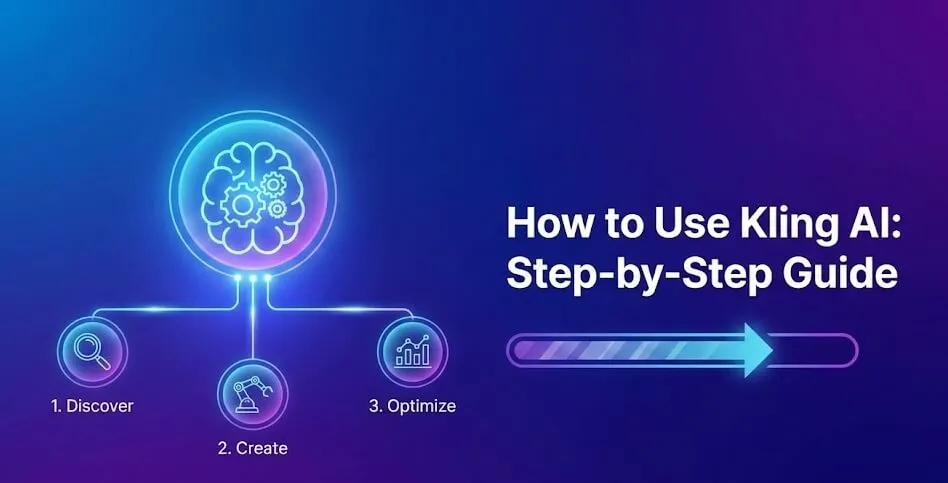
In this guide, I explain how to use Kling AI to generate videos. I cover its main features, including image-to-video, free credits, pricing, generation time, and safety. The goal is to keep every step simple, so beginners can follow without confusion.

What Is Kling AI and What Can It Do?
Kling AI is an AI video generator that creates short videos from text or images. It is mainly used for image-to-video and text-to-video generation.
With image-to-video, a single image can be animated into a moving scene by adding a short prompt. The system focuses on smooth motion, basic camera movement, and simple visual transitions. This works well for concept visuals, demos, and short creative clips.
Kling AI also supports text-to-video. By describing a scene in plain words, the AI generates a video based on that prompt. Clear and specific prompts usually lead to better results.
Overall, Kling AI is built for users who want quick results without complex settings. It runs directly in the browser, and no video editing skills are required. From my experience, it is easy to learn and useful for basic video generation tasks.

Try Kling AI Video Generator Now
How to Use Kling AI Step by Step?
Kling AI is designed to be simple, so the basic workflow does not take long to learn. Below are the exact steps I follow when generating a video with Kling AI.
Step 1: Open the Kling AI website and sign in to your account. If this is your first time, you can create an account in a few minutes. New users usually receive free credits after signing up. I received 166 free points on my first login.
Step 2: After logging in, choose how you want to generate the video. Kling AI mainly offers two options: Image to Video and Text to Video. Image to Video is the option I use most often. It allows you to upload an image and turn it into a short animated video. Text to Video lets you generate a video using only a written prompt.
 Author's Tip
For image-to-video, upload a clear image with a simple subject. Images with a clear focus usually produce more stable results. For text-to-video, enter a short and specific description. Long or complex prompts may reduce video quality, so I keep the instructions simple and direct.
Step 3: Kling AI may provide basic settings such as video style, motion level, or duration. These options are limited, which helps avoid confusion. If you are new to Kling AI, using the default settings is usually enough to get good results.
Step 4: Once everything is ready, tap "Generate" to start the generation process. Kling AI will use credits to create the video. Generation time depends on video length and system load, but most videos are completed within a few minutes.

Step 5: After the video is generated, preview the result directly in the browser. If the video meets your needs, you can download it or generate a new version using adjusted prompts.
 Tips:
Tips:
1. Use clear images with a single main subject
2. Keep prompts short and specific
3. Avoid sudden scene changes in prompts
4. Start with default settings before making adjustments
You can see the results I generated using Kling AI below:
Try It OnlineIs Kling AI Free? How Free Credits Work?
Kling AI offers free credits to new users, which allows you to test the platform before paying. This free option is useful for beginners who want to understand how the tool works without committing to a paid plan.
When I created my account, I received free credits after signing up. These credits can be used to generate videos, just like paid credits. However, the number of free credits is limited, so they are mainly for testing and small projects.
Do Kling AI Credits Roll Over?
Free credits usually do not roll over if they expire. In most cases, they are tied to a specific time period or account status. Because of this, it is better to use free credits soon after receiving them.
From my experience, paid credits follow clearer rules, while free credits are mainly meant for trial use. It is best to check the credit details inside your account dashboard for the most accurate information.
Is Kling AI Worth It? My Honest Opinion
Kling AI is worth trying if you need a simple and fast AI video generator. It works best for short videos, basic image-to-video tasks, and quick visual ideas.
From my experience, Kling AI is easy to learn. The interface is clean, and there are very few settings to manage. This makes it suitable for beginners or creators who do not want to spend time on complex video editing tools.
However, Kling AI also has limits. Video length is short, and creative control is limited. If you need advanced motion control, long videos, or professional editing features, Kling AI may feel restrictive.
Overall, Kling AI is worth it for testing ideas, creating short clips, and learning AI video generation. It is not a full replacement for professional video tools, but it does its job well for simple use cases.
Kling AI Alternative: All-in-One Novi AI
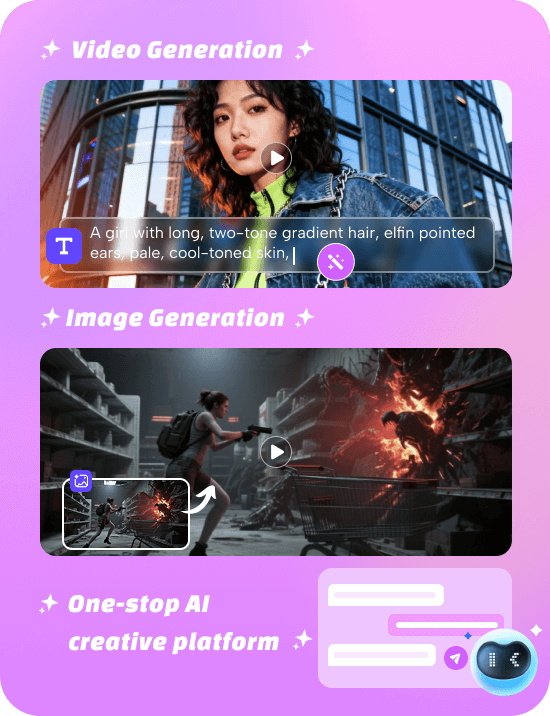
If you want more flexibility, Novi AI is a strong alternative to Kling AI. It's an all-in-one creative platform that supports image generation, image-to-video, and text-to-video using models like Kling, Veo, and Sora in one place.
Compared to Kling AI, Novi AI offers more creative options and broader use cases. It is useful for users who want to manage different AI content types without switching tools.
I find Novi AI more suitable for long-term projects and marketing content, while Kling AI works better for quick and simple video creation. The right choice depends on how often you create videos and how much control you need.
Key Features of Novi AI
- Direct Kling Access – Use Kling without switching regions or waiting lists.
- Multiple Models in One Place – Compare Kling, Veo, Sora and other video models on the same platform.
- Image-to-Video Generator – Upload a photo and turn it into motion with simple prompts.
- Text-to-Video Creation – Describe a scene and instantly generate AI videos.
- AI Image Generator – Create images first, then animate them into videos in one workflow.
- Story Video Mode – Generate consistent multi-scene videos for storytelling or social media.
 Trustpilot Rating 4.8
Kling AI FAQs
1How Long Does Kling AI Take to Make a Video?
Video generation time depends on video length and system load. Most short videos are generated within a few minutes.
During peak hours, the process may take longer. In general, Kling AI focuses on fast generation rather than long or complex videos.
2How Much Is Kling AI?
Kling AI uses a credit-based pricing system. Different plans offer different amounts of credits, which are used for video generation.
Prices may change over time, so the most accurate pricing information can be found on the official Kling AI pricing page. Free credits are available for new users, but they are limited.
3Is Kling AI Safe to Use?
Kling AI is generally safe to use. It works through a web-based platform, so there is no need to download or install software.
As with any online tool, it is recommended to use a strong password and avoid uploading sensitive or private content.
4Are Kling AI Videos Private?
Videos generated with Kling AI are usually linked to your account. Whether they are public or private depends on platform settings and usage rules.
For personal or commercial projects, it is important to review Kling AI's privacy policy and terms of service to understand how content is stored and used.
Conclusion
Overall, Kling AI is a simple and fast tool for generating short videos. From my experience, it works best for image-to-video and text-to-video tasks, especially when you need quick results without complex settings.
I found it easy to learn and useful for testing ideas, creating social media clips, or experimenting with AI-generated visuals. While it is not a full professional video editor, it is a great starting point for beginners or creators who want to try AI video generation.
If you want more flexibility or longer videos, you can also explore alternatives like Novi AI. But for simple and fast video creation, Kling AI does the job well and is worth trying.
 Get 50% Off Today!
Trustpilot Rating 4.8
Was this page helpful?

Article by
Aaron Smith


![Best Horror Animes to Watch[2026]: Top 20 Supernatural Picks](https://images.noviai.ai/noviaien/assets/article/video-tips/best-horror-anime.png)
![How to Make an AI Dog Podcast[2026]: Step by Step Guide with Novi AI](https://images.noviai.ai/noviaien/assets/article/video-tips/How_to_Make_An_AI_Dog_Podcast.webp)
![How to Make Animated Horror Stories: 2 Ways Introduced[2026 Guide]](https://images.noviai.ai/noviaien/assets/article/story-tips/animed_horror_stories.png)
![6 Best AI Video Generators Free No Sign Up[2026 Guide]](https://images.noviai.ai/noviaien/assets/article/video-tips/ai-video-generator-free-no-sign-up.png)