Resources


 Trending Articles

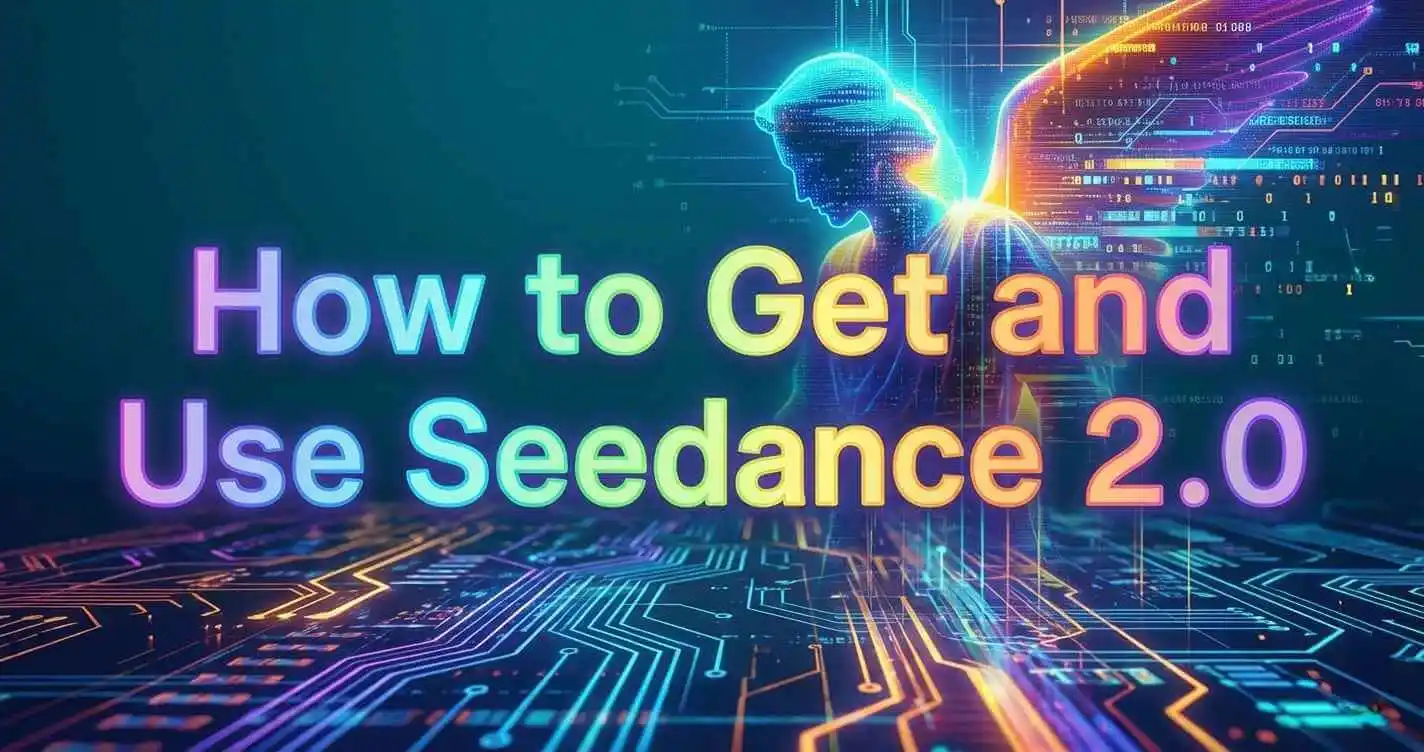

Novi AI Launches Seedance 2.0
Novi AI has released the Seedance 2.0 model, offering advanced AI video generation with improved cinematic motion, prompt understanding, and creative control.
If you're looking for how to get and use Seedance 2.0, the process is simpler than you might think. Seedance 2.0 is an AI video generation model that turns text prompts into cinematic, animated, or realistic videos.
To get Seedance 2.0, you typically need access through its official platform or a third-party tool that integrates the Seedance 2.0 API. Once inside, you can create AI videos by entering a structured prompt, adjusting video settings like duration and resolution, and generating the final output in minutes.
This guide explains exactly how to access and use Seedance 2.0 step by step. Let's go!

What Is Seedance 2.0?
Seedance 2.0 is an AI video generation model developed by ByteDance - the parent company of TikTok.
Backed by one of the world's largest tech companies, Seedance 2.0 is designed to turn simple text prompts into high-quality, cinematic AI videos. Users can describe a scene, action, or visual style, and the model automatically generates motion, camera movement, and detailed visuals.
Compared to earlier AI video tools, Seedance 2.0 focuses more on smoother motion, stronger visual consistency, and more dynamic camera effects. It's built for creators who want professional-looking short videos without complex editing software.
In short, Seedance 2.0 is ByteDance's answer to next-generation AI video creation - combining large-scale AI research with practical creative tools.
How to Get Seedance 2.0?
Accessing Seedance 2.0 isn't always as simple as signing up like other web tools - it depends on where you're located and whether you're using the official route or an integrated API solution.
Method 1ByteDance's Xiaoyunque Platform (Official)
Currently, the most direct way to access Seedance 2.0 is through ByteDance's official application, Xiaoyunque (小云雀). Developed by ByteDance - the company behind TikTok - Xiaoyunque serves as one of the primary distribution channels for its latest AI creative models.
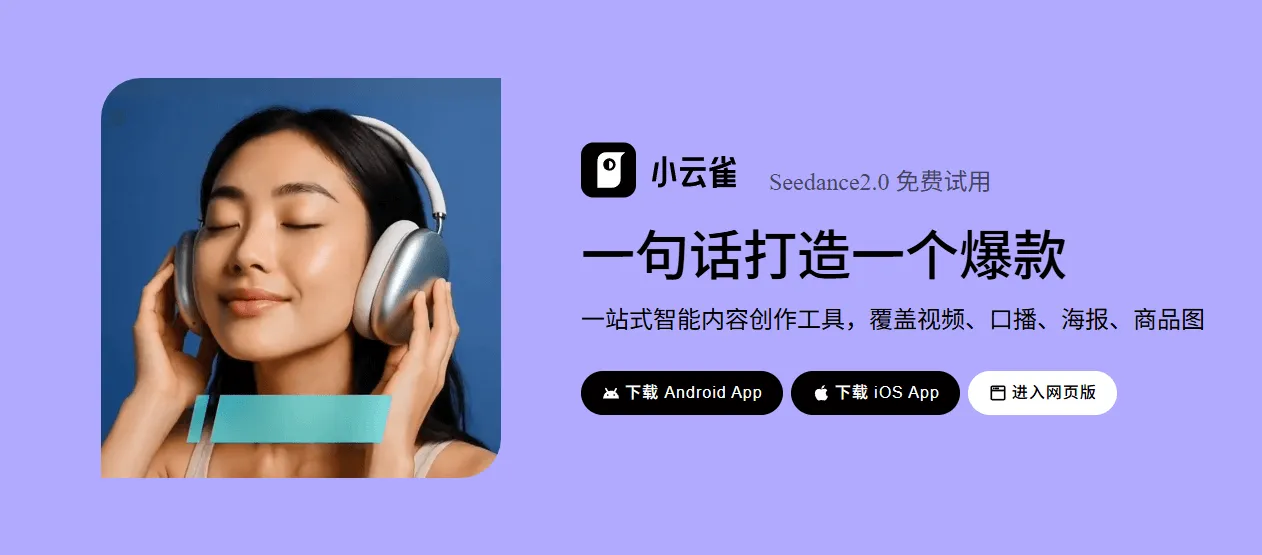
To use Seedance 2.0 within Xiaoyunque, you'll need to create a ByteDance-related account. In many cases, this account is connected to other ByteDance services. Depending on your region, registration may require phone verification, and certain features may only be unlocked through supported local payment methods.
New users may receive limited trial credits, but continued access typically operates under a credit-based or subscription model.
In short, Xiaoyunque provides the most official and complete access to Seedance 2.0. However, international users may encounter additional setup steps due to regional account and verification requirements.
Method 2Access Seedance 2.0 via Integrated API Platforms
Beyond the official ByteDance platforms, another increasingly common way to get Seedance 2.0 is through AI tools that have integrated the Seedance 2.0 API. Instead of registering through regional platforms or navigating phone verification requirements, users can access the same underlying model through a third-party interface.
This approach is particularly useful for international creators or developers who prefer a more streamlined experience. Because these platforms connect directly to the Seedance 2.0 API, users can generate videos within a familiar dashboard without dealing with regional restrictions or complex onboarding steps.
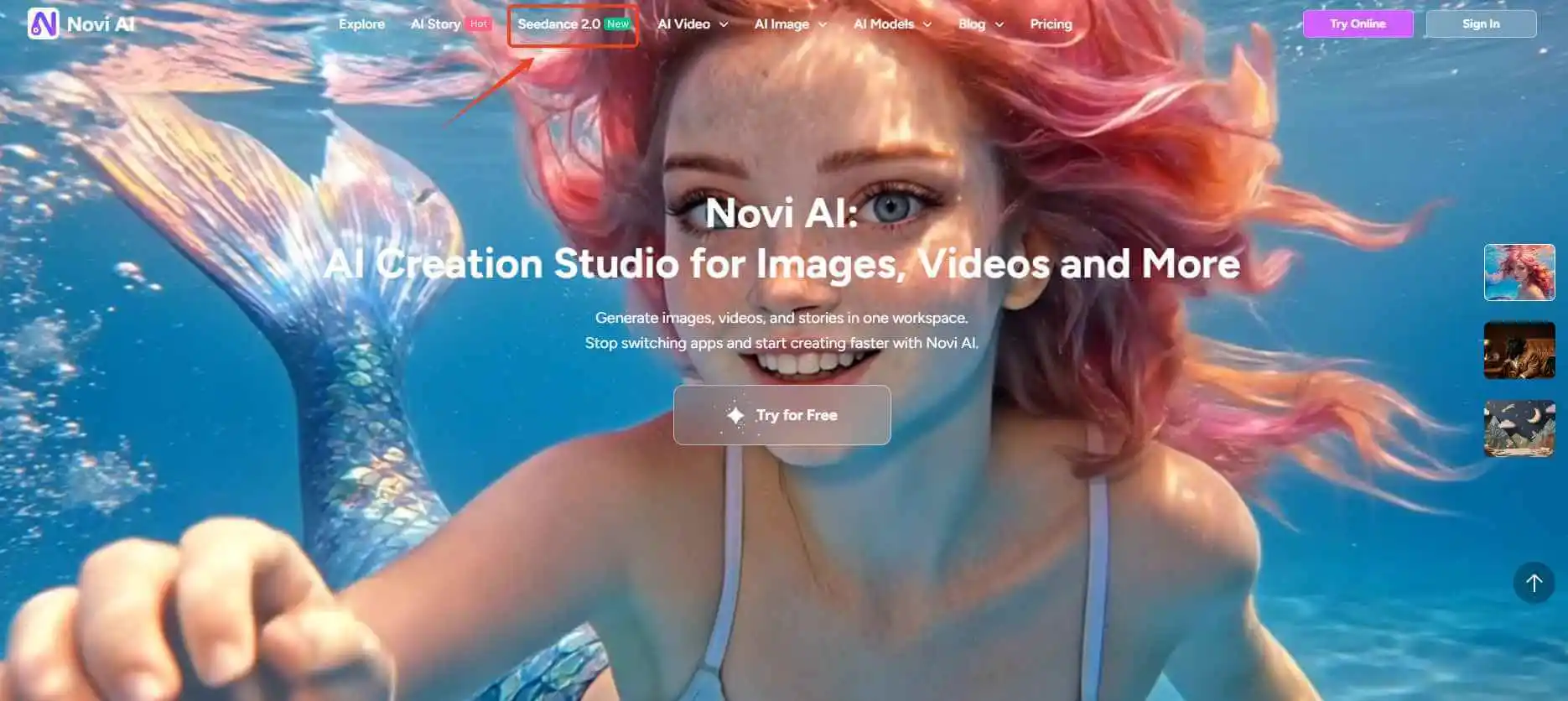
For example, Novi AI has already integrated the Seedance 2.0 model. That means users can create videos powered by Seedance 2.0 directly inside Novi AI, without signing up for ByteDance's native apps. For many users outside China, this can be the more practical and accessible route.
Method 3Use Official or Partner "Experience Portals" with Temporary Access
In addition to direct sign-in and API integrations, one of the emerging ways people are accessing Seedance 2.0 is through temporary experience portals or partner trial sites that offer short-term access for testing and experimentation.
These portals are often released as part of staged rollout campaigns or feature previews. Unlike full official platform access, they don't require long-term subscriptions or deep account verification. Instead, users can:
- Sign up for a limited free access window
- Receive trial credits that let them generate a small number of Seedance 2.0 videos
- Experiment with basic prompt configurations and interface controls
Because these portals are typically launched for marketing or community engagement purposes, access may be available only for a short period or on a first-come, first-served basis. Some may require joining a waitlist, completing a short form, or verifying a basic account email without needing complex regional authentication.
This method sits between official platform access and full API integrations: it doesn't offer the long-term convenience of an integrated dashboard, but it provides one of the earliest ways to experience Seedance 2.0's capabilities without subscription barriers.
Creators who simply want to test the model output or compare prompt effects often start here before committing to a full platform or tool integration.
How to Use Seedance 2.0 to Create AI Videos?
If you're using Seedance 2.0 through an integrated platform like Novi AI, the process is simple and beginner-friendly. Because the model is already built into the system, there's no need to configure APIs or deal with regional verification. You can start generating videos right away.
Step 1: Select the Seedance 2.0 Model
Visit the official Novi AI website and create an account. New users typically receive free starter credits (for example, 80 coins) after logging in.
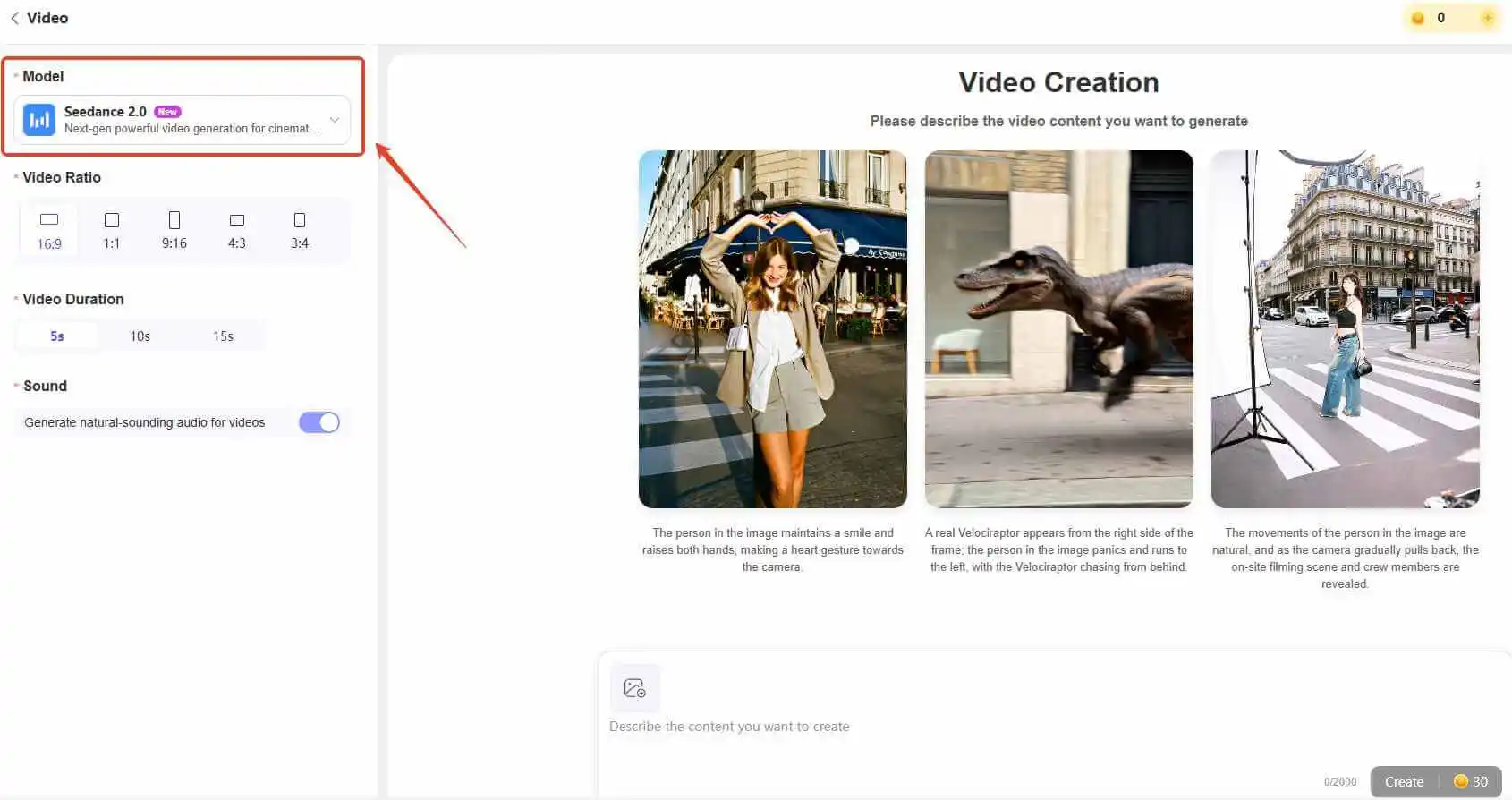
Try It OnlineOnce inside the dashboard, click "Create Video" and choose Seedance 2.0 from the model list. This ensures your project is powered by the correct video engine.
Selecting the proper model is important, as different engines may produce different motion styles and quality levels.
Step 2: Generate AI Videos with Seedance 2.0
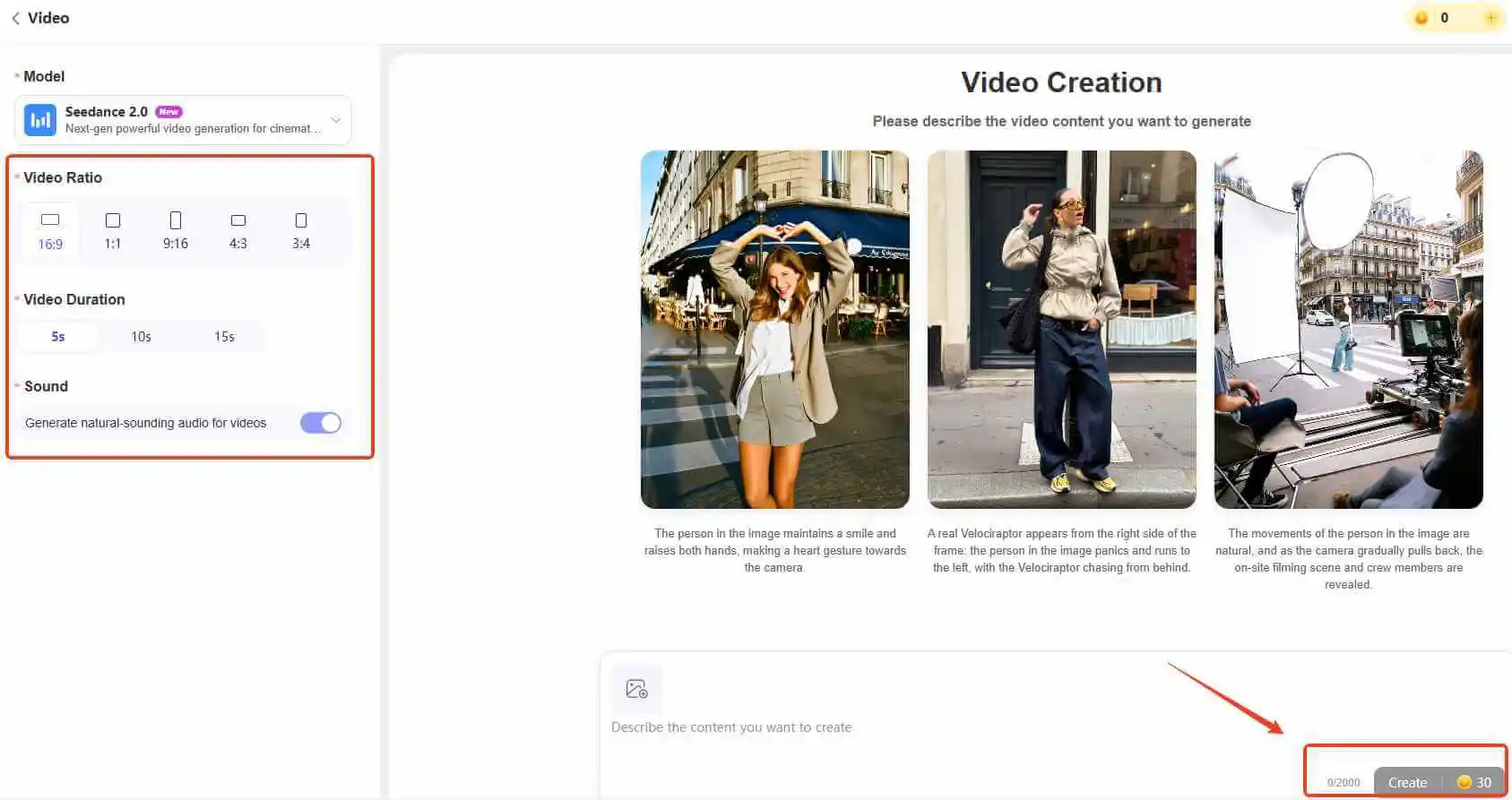
Enter your text prompt to describe the scene you want to create. For better results, you can also upload an image reference to guide the visual style, character appearance, or composition.
After entering your prompt, adjust the video settings such as:
- Aspect ratio
- Video duration
- Sound options
When everything is ready, click "Create" and let Seedance 2.0 generate your AI video. Processing time may vary depending on video length and resolution.
If the result isn't perfect on the first try, refine your prompt by adding more specific details about movement, lighting, or camera angles.
 Tips
Tips
If you're not sure how to write strong prompts, check the Seedance prompt examples in the next section for inspiration and structured formats.
Best Prompts for Seedance 2.0 With Examples
Using the right prompt structure can significantly influence the quality of videos generated by Seedance 2.0. High-performing prompts are usually clear, visually descriptive, and structured in a way that guides both motion and camera behavior - not just subject matter.
Before diving into examples, here is a practical structure that consistently delivers better results:
Subject + Specific Action + Environment + Visual Style + Camera Movement + Lighting/Mood
This structure helps Seedance 2.0 interpret not only what you want to generate, but how it should look and move. Instead of vague instructions like "make it cinematic," use concrete visual cues such as:
- cinematic tracking shot
- dramatic backlight
- shallow depth of field
- handheld camera movement
- ultra-detailed 4K
These descriptors anchor the output in a specific visual language.
Below are refined prompt examples you can adapt to your own creative projects.
1Cinematic Character Shot
Seedance 2.0 performs especially well when motion and lighting are clearly defined.
Prompt Example:
- A young warrior standing in heavy rain, neon city at night, she slowly raises her sword, rain splashing on the ground, cinematic tracking shot, dramatic backlight, shallow depth of field, ultra detailed, film-like color grading.
Instead of simply requesting a "cinematic scene," this prompt specifies camera movement, lighting direction, and environmental interaction - which helps the model generate more dynamic footage.
2Dynamic Action Scene
Fast-paced scenes benefit from layered motion (primary action + reaction + environmental response).
Prompt Example:
- Two anime fighters in mid-air duel, swords colliding with sparks, one dodges backward while spinning, wind effects swirling around them, fast camera rotation, motion blur, high-energy animation style, 24fps smooth action.
The key here is sequencing: attack → reaction → environmental effect → camera motion. This creates momentum instead of a static battle pose.
3Emotional Close-Up Scene
Seedance 2.0 can produce surprisingly strong facial animation when subtle motion is included.
Prompt Example:
- Close-up of a girl under soft sunset light, tears forming slowly in her eyes, slight trembling lips, gentle breeze moving her hair, steady cinematic close-up shot, warm color tones, detailed facial animation.
Small details like "tears forming slowly" or "trembling lips" improve realism. For emotional shots, shorter and more focused prompts usually work better than overly complex descriptions.
4Realistic Nature or Animal Motion
When generating realistic scenes, physical interaction with the environment is crucial.
Prompt Example:
- A panda running across snowy ground, snow scattering beneath its feet, visible breath in cold air, handheld camera following from behind, natural daylight, documentary-style realism, high detail.
Adding environmental responses (snow scattering, breath condensation) prevents stiffness and enhances realism.
5Product or Commercial-Style Shot
Seedance 2.0 also handles structured commercial compositions effectively.
Prompt Example:
- A futuristic smartphone slowly rotating in mid-air, soft studio lighting reflections, minimal white background, smooth camera orbit, luxury commercial style, ultra-clean details, sharp focus.
Product shots benefit from clear lighting direction and controlled camera movement rather than dramatic storytelling elements.
Also Read:
FAQs About Seedance 2.0
1Is Seedance 2.0 actually worth trying?
From my perspective, it depends on what you expect. If you're looking for a one-click tool that magically creates perfect cinematic videos without guidance, you might feel underwhelmed. But if you're willing to think in terms of camera language, motion, and structured prompts, Seedance 2.0 becomes much more interesting.
What impressed me most isn't just the visual style - it's how responsive the model is to movement instructions. When I clearly define how a character turns, how the camera tracks, or how light behaves, the output improves noticeably. It rewards intentional prompting.
2Why do my videos sometimes look stiff or random?
In most cases, it's not the model - it's the prompt structure. I've noticed that vague descriptions like "epic fight scene" or "beautiful cinematic shot" rarely produce consistent results.
Seedance 2.0 seems to respond better when motion is broken into steps: what happens first, what reacts, and how the camera behaves during that moment. Once I started thinking in sequences instead of adjectives, the quality became much more stable.
3Do longer prompts produce better results?
Not necessarily. In fact, overly long prompts packed with style modifiers can dilute clarity. What works better is structured specificity - clear subject, clear action, defined camera movement. Precision tends to outperform verbosity.
4Is Seedance 2.0 beginner-friendly?
Yes, but it rewards experimentation. It feels less like a one-click generator and more like collaborating with a digital cinematographer. The learning curve isn't about technical settings - it's about learning how to communicate visual intent.
Conclusion
Seedance 2.0 truly shines when you approach it with structured intent. Clear motion cues, defined camera behavior, and deliberate visual direction consistently produce stronger results than vague descriptions.
Since Seedance 2.0 is also available inside Novi AI, the workflow becomes much smoother. Instead of navigating platform limitations or fragmented tools, you can access the model directly alongside AI image generation and story-to-video features in one unified environment.
For creators who want cinematic control without workflow friction, having Seedance 2.0 integrated into a broader creative system simply makes experimentation faster and more practical.
In the end, mastering prompt structure is what unlocks quality - and choosing the right platform determines how efficiently you can apply it.
 Get 50% Off Today!
 Trustpilot Rating 4.8
Was this page helpful?

Article by
Aaron Smith