Resources


 Trending Articles
Searching for the right AI story video tool can feel overwhelming. With platforms like Mootion AI, Novi AI, Magiclight, and OpenArt all promising to transform your ideas into videos, how do you know which one actually delivers? Maybe you're wondering if Mootion AI is worth the subscription cost, or if there's a better alternative that fits your budget and creative needs.
In this honest review, I'll walk you through everything you need to know about Mootion AI—from how it works to what it costs—and compare it side-by-side with the top alternatives. Whether you're a beginner exploring AI video tools for the first time or an educator looking for the perfect platform to create teaching content, this guide will help you make an informed decision.

What is Mootion AI and How Does It Work?
Mootion AI is a story video generator platform that lets you transform simple text prompts, images, or audio into fully animated stories in minutes. It specializes in creating fluid 3D character animations, cinematic game trailers, and educational cartoons, complete with consistent characters and professional scene transitions.
Getting started is straightforward. You can head to the "Generate" page and type in a story or idea—something like "Emily gets lost in a new neighborhood..."—and the platform creates content directly from your input. If you'd rather work from a template, Mootion offers creative starting points like "Bedtime Stories" or "Bible Stories." Just click "Generate," and you'll have a corresponding video in minutes. You can even switch between different AI models, such as Veo or Seedance, to see which one produces results you like best.
The "Gallery" lets you browse finished projects from other creators for inspiration, while "My Projects" and "My Media" help you organize your own creations and assets.
Mootion AI Key Features
Mootion AI is primarily designed for rapid generation of story-based videos across a surprisingly broad spectrum. Whether you're creating general creative content, "faceless" short videos for social media, historical and scientific stories for children, bedtime tales, horror stories, or religious narratives, the platform has you covered. It even supports specialized categories like bilingual stories, bilingual dialogues, autobiographies, dream journals, and uplifting narratives. In most cases, you only need to input a specific theme or even just a single sentence to quickly produce a story video tailored to your preferred style and target audience.
The platform offers two main generation options: "idea to video" and "script to video." While it doesn't currently support image-to-animation features, the workflow is designed to be intuitive. Once your story video is created, you can customize it further with advanced features like selecting your preferred subtitle styles.
Video specifications:
- Length: Videos typically range from 2 to 5 minutes, depending on your script. The platform automatically generates multiple shots, as I tried, you can adjust each shot's length from 2 to 12 seconds.
- Export format: Videos download as MP4 files directly from the page.
One thing I personally noticed: while I appreciate the advanced customization options—especially the subtitle style selections—the voiceover selection interface feels somewhat mechanical. It lacks the warmth and comfort you might expect when choosing a voice for storytelling content.
Mootion AI Pricing & Free Trial Options
Let's talk about what Mootion AI actually costs, because this is often the deciding factor for many creators.
Does Mootion AI offer a free trial? No. Mootion AI does not offer a free tier at all. You'll need to subscribe to start creating.
Here's the complete pricing breakdown:
| Plan | Price | Credits | Main Features |
|---|---|---|---|
| Standard | $15/month | 1,500 credits/month | Premium models, all styles, multi-input, script editing, image editing, voiceovers |
| Plus | $25/month | 3,000 credits/month | Everything in Standard, 32 scenes/project, better voiceovers, faster generation, 20GB storage |
| Pro | $50/month | 8,000 credits/month | Everything in Plus, idea-to-video, 5x faster generation, unlimited voiceovers, 100GB storage |
| Max | $200/month | 32,000 credits/month | Everything in Pro, up to 5,000 video clips, top speed, 400GB storage, priority support |
The Credits Cost: The number of animated storyboards you generate determines how many videos you can produce. On average, a single animated storyboard costs at least 1s around 10-20 credits.
Which plan should you choose? If you're just starting out and only creating basic video and image content occasionally, the Standard plan is generally more than adequate. It includes all the essential features—commercial-use models, various visual styles, script and image editing, and voiceovers—and comes completely watermark-free. The barrier to entry is quite low for casual users.
However, if you're creating content on a consistent basis, I'd lean toward recommending the Plus plan. The price difference isn't huge—just $10 more per month—but you get double the credits, faster generation speeds, and a noticeably smoother user experience. It's that sweet spot where the modest cost increase delivers an immediate improvement in usability.
The higher-tier Pro and Max plans are really geared toward high-volume creators or teams. The Pro plan is an excellent fit if you frequently produce longer videos, work on more complex projects, or place a high priority on generation efficiency.
Looking for a free alternative? If the lack of a free tier is a dealbreaker, Novi AI offers a more accessible starting point. New users receive 80 coins just for signing up, plus an additional 100 coins when you join their Discord community—giving you 180 free coins to explore the platform before committing to a paid plan.
Mootion AI: Pros, Cons & User Reviews
After spending time with Mootion AI and observing feedback from the community, here's my honest assessment of what works well and what could be improved.
 Pros
Pros
- Effortless idea-to-video workflow that handles animation, scene transitions, and character consistency automatically
- Excellent storytelling coherence with natural scene transitions and consistent character appearance
- Balances automation with creative control through customizable subtitle styles, shot lengths, and AI model selection
- Professional features specifically designed for educators, including AI avatar layouts perfect for teaching content
 Cons
Cons
- No free tier or trial period—subscription required before you can evaluate the platform
- Cost per animation can add up quickly at roughly 100 credits per storyboard
- Visual style inconsistency—selected styles don't always match the output (e.g., Pixar style may look generic)
- More suited for educational content than entertainment; visual output can feel presentation-like
- Slower action animations compared to competitors—movements can feel like a slowly played PowerPoint
Where to Find Mootion User Reviews?
Mootion AI has an active Discord community where users share their work and discuss the platform. While the community isn't massive in terms of daily discussions, there are definitely active members who regularly share their creations and provide feedback. It's a good place to see real-world examples and get a sense of what other creators are producing with the tool.
Mootion AI Alternatives: Comprehensive Comparison
Now let's look at how Mootion AI stacks up against other leading platforms. Each tool has its own strengths, and the "best" choice really depends on what you're trying to create.
Alternative 1: Novi AI
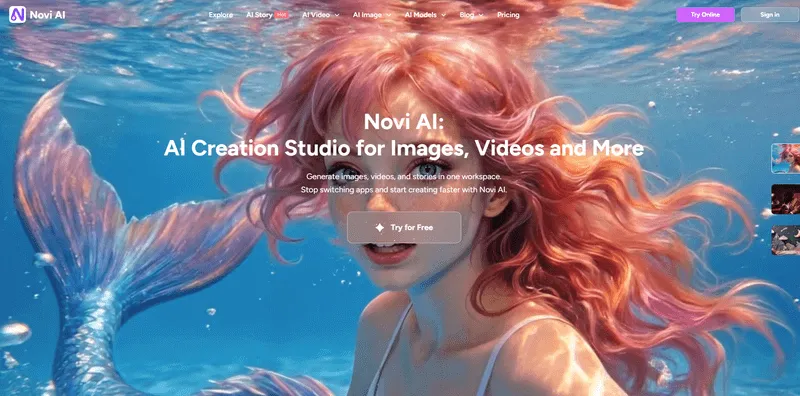
What it is: Novi AI is an all-in-one AI story video platform that turns a simple idea, prompt, or full script into a complete narrative video up to 5 minutes long. Unlike many AI video tools that mainly generate short clips, Novi AI is built specifically for storytelling.
Key Features:
- Automatically breaks stories into scenes while keeping characters visually consistent
- Generates shot images, animates them into longer videos, and adds AI voiceover, subtitles, background music, and on-screen text in one integrated workflow
- Provides access to leading video and image models including Seedance 2.0, Veo, Kling, Sora, Seedream, and Nano Banana
- Supports 50+ AI voices and 60+ languages for creating globally-ready content
- Offers multiple visual styles including Ghibli, Pixar, and cinematic looks
Pros
- Best-in-class for turning ideas or scripts into complete story videos, not just short AI clips
- True all-in-one workflow that handles storyboard creation, visuals, voice, subtitles, and audio without jumping between tools
- Multiple top AI models give you flexibility to choose the best engine for your specific project
- Multilingual voices and subtitles make it easier to publish content for global audiences
- Free tier available: 80 coins for signing up + 100 coins for joining Discord = 180 free coins to start
- Active Discord community where you can discuss creations and make feature requests directly with the friendly team
Cons
- The full experience may depend on paid credits or a subscription for regular use
- Creators who want frame-by-frame control or deep manual editing may find it less flexible than traditional editing software
- Like most AI tools, complex scenes with lots of action can sometimes require simpler prompts for better consistency
For More About the introduction and pricing, you can watch this video as a refer:
Best for: Content creators who want to produce longer narrative videos, explainer content, or faceless videos without juggling multiple tools. Particularly useful for creators who want to experiment with different AI models and visual styles, or who need to create content in multiple languages.
Step 1Paste your script and choose the style

Start by pasting your story or script into Novi AI, then select your preferred visual style and language. You can check the style examples first to quickly understand the look before choosing. After that, click "Preview Storyboard" to review the generated shots and make any adjustments before moving forward.
Step 2Generate the video scene by scene or all at once

Once the storyboard looks right, you can generate the full video at once or animate each scene individually for more control. If you're not happy with a shot image or animation, you can easily recreate it at low cost. Pro tip: if a scene feels too complex, using simpler actions and clearer prompts can help improve consistency across your video.
Step 3Add voiceover, music, and export

After the video is generated, try different AI voiceovers to find the perfect voice for your story. Choose background music from the library, or upload your own. When everything looks and sounds right, download the final video and publish it anywhere you like.
Alternative 2: Magiclight

What it is: MagicLight.ai generates full-length animated videos—potentially over 50 minutes—from scripts, with a strong focus on maintaining consistent characters throughout. The platform offers multiple art styles including anime, cartoon, and realistic looks, and is particularly popular among YouTubers and educators creating faceless content.
Key Features:
- Exceptional character consistency across long-form scenes
- Multiple art styles to choose from (anime, cartoon, realistic)
- Automates animation without requiring editing skills
- Designed for creating engaging narratives quickly
- Free trial available with credits to test the platform
Pros
- Excellent character consistency across scenes—one of the best tested in this regard
- Specifically tailored for long animated storytelling and social media content
- Good option for creators who need consistent characters in longer narratives
Cons
- The animated actions can feel slow and less lifelike—sometimes resembling a slowly played PowerPoint presentation
- Primarily animation-focused, so less versatile if you need live-action or mixed content styles
- Relies heavily on script input, which means you need well-structured scripts to get good results
Best for: Creators who prioritize character consistency in long-form animated content, particularly those making educational series, faceless YouTube channels, or story-driven animations where maintaining the same character appearance across many scenes is critical.
Alternative 3: OpenArt AI

What it is: OpenArt.ai serves as an all-in-one hub that gives you access to major AI video models like Sora 2, Kling 2.6, and Veo 3. It's designed for creating realistic storytelling videos and supports prompts for motion, audio, and specific use-case scenarios. The platform has received strong reviews in 2026 for aggregating top generators and enabling easy comparisons between different AI models.
Key Features:
- Access to multiple cutting-edge AI video models in one place
- Supports realistic storytelling with high-fidelity outputs
- Versatile prompt system for motion, audio, and scenario-specific content
- Separate video models similar to Novi AI's approach
- Good for testing various styles without committing to one platform
Pros
- Access to multiple cutting-edge models means you can compare results and choose the best output
- Versatile for both realism and speed—different models excel at different things
- Cost-effective for testing various styles before settling on a workflow
- High-quality outputs when you dial in the right prompts
Cons
- Less specialized in full narrative automation compared to story-focused platforms
- May require more prompt engineering to achieve cohesive multi-scene stories
- The abundance of options can be overwhelming for beginners who just want to create without technical complexity
Best for: More advanced users who want model flexibility and don't mind experimenting with prompts to achieve high-end control over their outputs. It's an excellent choice if you want access to the latest AI video models without subscribing to multiple platforms.
Side-by-Side Comparison
Here's how these platforms stack up across the most important factors:
| Feature | Mootion AI | Novi AI | Magiclight | OpenArt AI |
|---|---|---|---|---|
| Free Tier | ❌ No | ✅ Yes (180 coins) | Varies | Varies |
| Starting Price | $15/month | $14.99 | $15/month | $14/month |
| Max Video Length | 2-5 minutes | Up to 5 minutes | 50+ minutes (theoretical) | Varies by model |
| Main Strength | Educational presentations | Complete story workflow | Character consistency | Model variety & access |
| Best For | Educators & teaching content | Narrative & explainer videos | Long-form animation | Advanced users wanting model control |
| Visual Styles | Multiple, some inconsistency | Ghibli, Pixar, cinematic, more | Anime, cartoon, realistic | Multiple models, realistic focus |
| Community | Active Discord | Active Discord with team support | Moderate | Varies |
Which AI Video Tool is Right for You?
For educators and professional presenters, Mootion AI offers polished, presentation-focused features with AI avatar layouts ideal for instructional content, though it requires a paid subscription. If you're creating animated series or ongoing content where characters must look identical across episodes, Magiclight prioritizes character consistency above all else, even if it means sacrificing some animation fluidity.
Novi AI then is best for content creators seeking flexibility, which provides an all-in-one workflow from storyboard to final video with multilingual support, multiple AI model options (Seedance, Veo, Kling, Sora), and a free tier to start—perfect for narrative videos and explainer content. OpenArt AI suits advanced users who want access to cutting-edge models in one place and enjoy prompt engineering to achieve precise results.
For most beginners just getting started with AI video creation, I'd recommend starting with Novi AI's free tier to get a feel for the story video workflow, or trying Magiclight's free trial if character consistency is crucial for your project. If you're specifically in the education space and presentations are your focus, Mootion AI's specialized features might justify the subscription cost right away.
Frequently Asked Questions
Q: Is Mootion Storyteller free?
A: No, Mootion AI does not offer a free tier or trial period. You'll need to subscribe to one of their paid plans to start creating. If you're looking for a free alternative to test AI video creation first, Novi AI provides 180 free coins (80 for signing up + 100 for joining Discord) to help you get started without any financial commitment.
Q: How much does Mootion AI cost?
A: Mootion AI offers four subscription tiers: Standard ($15/month with 1,500 credits), Plus ($25/month with 3,000 credits), Pro ($50/month with 8,000 credits), and Max ($200/month with 32,000 credits). Each animated storyboard costs approximately 100 credits, so on the Plus plan, you could create about 30 story videos per month.
Q: What is the video length limit for Mootion AI?
A: Mootion AI creates videos ranging from 2 to 5 minutes in length, depending on your script. The platform automatically generates multiple shots, and you can adjust each individual shot's length from 2 to 12 seconds.
Q: Where can I find user reviews for Mootion AI?
A: The best place to find authentic user feedback is the Mootion AI Discord community, where active members regularly share their work and discuss their experiences with the platform. You can see real-world examples of what users are creating and get direct feedback from other creators.
Q: Can I try Mootion AI before purchasing?
A: Unfortunately, no. Mootion AI doesn't offer a free trial or demo. You'll need to subscribe to start using the platform. If you're hesitant to commit without testing, consider starting with a free alternative like Novi AI to familiarize yourself with AI video creation workflows first.
Q: How does Mootion AI compare to Novi AI?
A: Mootion AI is more specialized for educational and presentation-style content with features like AI avatar layouts, making it ideal for educators and trainers. Novi AI offers a more general story video workflow with access to multiple AI models (Seedance, Veo, Kling, Sora) and has a free tier to get started. Mootion is best if education is your focus; Novi AI is better for narrative storytelling, explainer videos, and experimenting with different AI models.
Q: What happens if I don't like the style or quality of my generated video?
A: With most platforms including Mootion AI and Novi AI, you can regenerate individual shots or scenes at a relatively low cost. If a particular scene doesn't match your vision, you can adjust your prompt to be simpler and clearer, then recreate just that scene without starting over from scratch.
Final Thoughts
After exploring Mootion AI and comparing it to the leading alternatives, here's the bottom line: there's no single "best" AI video tool that works for everyone. Mootion AI delivers professional results for educators and anyone creating presentation-style content, with specialized features that competitors don't offer. However, the lack of a free tier and the relatively high cost per video make it a significant commitment before you even know if it fits your workflow.
If you're just starting your AI video creation journey, I'd suggest beginning with a platform that offers a free tier like Novi AI—where you can learn the ropes, experiment with different styles, and discover what kind of content you actually enjoy creating. Once you understand your needs better, you'll be in a much stronger position to decide whether Mootion's educational focus, Magiclight's character consistency, or OpenArt's model variety aligns best with your goals.
The AI video space is evolving rapidly, and what matters most is finding a tool that matches not just your budget, but your creative process and the type of content you're passionate about making. Take advantage of free tiers and trials where available, join the Discord communities to see real examples, and don't be afraid to test multiple platforms before committing long-term. Your perfect AI video tool is out there—it just might not be the same one that works for someone else.

Ready to Create Your First AI Story Video?
Start with Novi AI's free tier—180 coins to explore complete story creation with voiceover, music, and subtitles. No credit card required.
Was this page helpful?

Article by
Aaron Smith