Resources


 Trending Articles

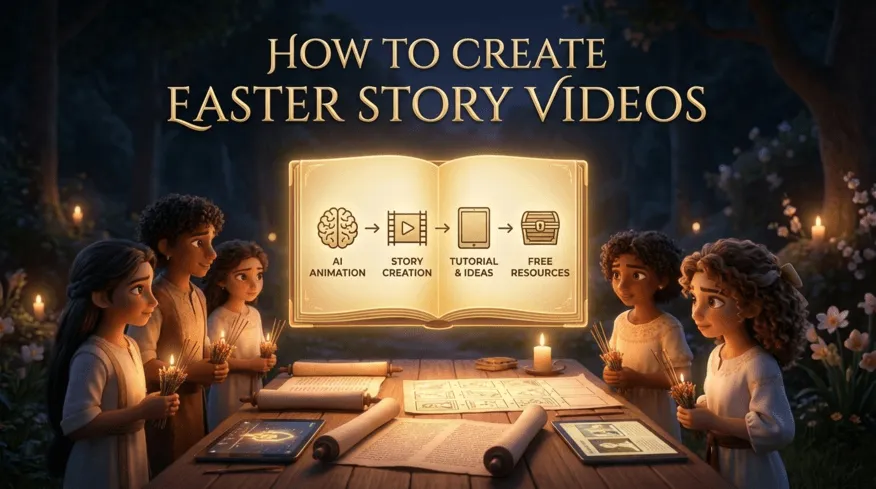
I think the real difficulty isn't that Easter lacks meaning—it's that making that meaning feel relevant and emotionally resonant to today's audience is incredibly hard. Simply teaching people what Easter means or why it matters doesn't seem to connect the way it used to. Heavy-handed lessons feel preachy. Overly somber or graphic retellings can feel alienating rather than moving. And when audiences keep seeing the same narratives year after year, it's tough to hold their attention or earn their appreciation. The challenge isn't the message itself—it's finding fresh, engaging ways to express it that don't feel repetitive, didactic, or emotionally out of reach.
Every Easter presents a wonderful opportunity for parents, teachers, and content creators to retell the story in ways that resonate. This year, we have access to an even wider array of expressive possibilities. Whether you aim to create heartwarming animated stories for preschoolers or produce eye-catching Easter videos for social media, AI tools can help streamline your creative process. In this article, we'll guide you through how to easily produce Easter-themed short story videos using AI platforms like Novi AI, and explore various ways to find inspiration—whether you choose to use AI or not.

Turn Your Easter Story Ideas Into Videos For Free
Turn Easter stories into animated videos in minutes. Novi AI offers auto-storyboards, multilingual voiceovers, and kid-friendly styles. Get 180 free coins (80 sign-up + 100 Discord).

Who Are Your Easter Stories For?
From my experience analyzing user behavior and feedback, three distinct audience groups emerge—and each has very specific needs.
Easter Stories for Preschoolers: When parents or educators search for this, they're primarily concerned with age-appropriateness and emotional tone. They need simple language, yes, but more importantly, they need emotional safety. Young children process stories differently—they need strong visuals, vibrant colors, and shorter attention spans accommodated through interactive elements. A 2-3 minute video with gentle pacing works far better than a 10-minute lesson, no matter how well-intentioned.
Women in the Easter Story: This search reveals something deeper. In both church and home settings, these narratives serve to inspire young girls, helping them recognize their inherent worth within the context of faith and history. Many traditional retellings have marginalized women's roles, and modern audiences—especially parents raising daughters—are actively seeking stories that counter this tendency. They want authentic representation that feels empowering, not performative.
Funny Easter Bunny Stories: Here's where things get lighter. These searches aren't about profound theological meaning—they're about joy and lightheartedness. Sometimes, what people need isn't deep reflection but simply humor and amusing contrasts. Based on random sampling of questions from Novi AI users and patterns on TikTok, there's significant demand for warm, adorable, child-oriented animated content in the Pixar style. But what resonates most isn't just the visual style—it's the emotions and ideas expressed by the creator behind the story.
The insight I want to emphasize here: Easter content isn't just for March and April. There's year-round demand from educators preparing lessons, parents seeking bedtime stories, and content creators building evergreen libraries. Understanding this helps you create content with longer shelf life.
10 Creative Approaches to Easter Storytelling
Traditional Bible-Based Stories
1The Resurrection Journey – A Sequential Narrative
This approach breaks down the Easter story into digestible scenes: the Entry into Jerusalem, the Last Supper, the Crucifixion, the Empty Tomb, and the Resurrection Appearance.
Practical Tips: Provide your AI tool (or yourself, if writing manually) with a specific audience persona and core storyline. Break the narrative into 3–5 key scenes presented chronologically. For each scene, use only 2–3 simple, concise sentences—especially if targeting preschool-aged children. This lowers the barrier to understanding.
Storyboarding Notes: Use a gentle, slow-paced voiceover. Visuals should transition sequentially to match scene progression. Avoid complex special effects. Incorporate soft, gentle background music. Think of it as visual storytelling that breathes, rather than rushes.
2Mary Magdalene's Witness – A First-Person Narrative
Tell the story from Mary Magdalene's perspective as she discovers the empty tomb. This approach centers a woman's experience and creates emotional intimacy.
Why it works: First-person narratives make abstract concepts tangible. When a child hears "I ran to tell the disciples," they connect more deeply than with third-person description. This format also naturally addresses the "women in the Easter story" search intent.
Production approach: Consider using a warm, conversational voiceover that feels like someone sharing a personal memory rather than reciting facts.
3The Doubting Disciple – Exploring Faith and Questions
Focus on Thomas's journey from doubt to belief. This narrative validates questions and uncertainty, making it perfect for older children and teens who may be wrestling with their own doubts.
Modern relevance: In an age where questioning is often seen as lack of faith, this story offers permission to doubt while still finding meaning. It's particularly effective for youth groups or family discussions.
Visual approach: Use contrasting lighting—shadows and doubt transitioning to light and clarity—to mirror Thomas's emotional journey.
💡 How Novi AI Accelerates Bible Story Creation
From my experience working with educators and parents, the biggest bottleneck in creating Bible-based content isn't creativity—it's time. A teacher preparing for Sunday school might have a clear vision but only 30 minutes to execute it.
Novi AI's Story to Video feature addresses this directly. You paste your script, select your video size, language, and visual style (Pixar, Ghibli, anime, and more—though Pixar tends to be most loved by parents and educators), and click "Preview Storyboard." The AI generates panels automatically, which you can then edit individually without regenerating the entire video.
What I find particularly useful: the platform supports multiple language subtitles and voiceovers. If you're serving a multilingual congregation or classroom, you can create one video and export it in Spanish, Mandarin, or other languages without starting from scratch. The AI voiceover quality is notably natural—soft and comfortable compared to most competitors I've tested.
Key Novi AI Features for Story Videos:
- Script to video with auto-generated storyboards for faster creation,
- 50+ AI voices in 60+ languages for global reach,
- Support for multiple visual styles including Pixar, Ghibli, Cinematic, and Anime,
- Create videos up to 5 minutes long with ease,
- Edit individual scenes without regenerating the entire video,
- Access 10+ leading video models including Seedance 2.0, Veo 3.1, Kling 2.5, and Sora 2,
Creative & Modern Twists
4The Easter Garden Mystery – An Interactive Detective Story
Frame the Resurrection as a mystery to solve. Children follow clues with the disciples: folded burial cloths, missing body, angel witnesses. This gamifies the narrative and increases engagement.
Why kids love it: It transforms passive listening into active problem-solving. "What do you think happened?" becomes a natural question.
Production tip: Use visual cues like magnifying glass overlays, "clue discovered" sound effects, and pause points for audience participation.
5The Bunny Who Learned About Easter – A Bridge Story
Create a fictional bunny character who's curious about why humans celebrate Easter. Through the bunny's journey of asking questions, children learn the real story.
The power of bridge narratives: This approach doesn't dilute the message—it creates a relatable entry point. A child who loves bunnies will engage with this story even if they'd tune out a traditional telling.
AI advantage: Pixar-style animation works beautifully here. The bunny can be expressive and endearing without requiring professional animation skills. In Novi AI, you can test different visual styles—sometimes anime or Ghibli produces surprisingly effective results for emotional moments.
6From Picture Book to Animated Story – Bringing Static Stories to Life
Many families already own Easter picture books. You can recreate beloved book narratives in animated form by adapting the text into a simple script (2-3 sentences per scene) and generating an animated version.
The strength here: A book that requires parental reading time becomes a video that children can watch independently.
Social Media & Short Formats
760-Second Easter Story – Instagram Reels & TikTok Format
Condense the entire Easter narrative into one minute. This requires ruthless editing but forces focus on the emotional core.
Structure suggestion: 0-15 seconds: The problem (death, despair); 15-45 seconds: The transformation (empty tomb, realization); 45-60 seconds: The meaning (hope, new life).
Platform-specific tips: On TikTok, people care deeply about the emotions and ideas expressed by the creator behind the story. Don't just present facts—share why this story matters to you. A 5-second intro where you speak directly to camera creates connection that pure animation doesn't.
8"Women of Easter" Carousel Series – Instagram Post Format
Create a multi-slide carousel highlighting Mary Magdalene, Mary the mother of Jesus, Joanna, and other women present at the Resurrection. Each slide is a standalone image with text overlay.
Why this works: It's easy to consume, highly shareable, and directly addresses the "women in the Easter story" search intent. It also positions your content as educational rather than preachy.
AI production approach: Generate individual scenes in Novi AI's AI Video Generator using short clips models. Export as images or very short video clips. Compile into a carousel.
9Easter Story in 10 Styles – A Visual Comparison Reel
Show the same scene (e.g., the empty tomb) rendered in 10 different artistic styles: Pixar, Ghibli, anime, watercolor, stained glass, etc.
Content angle: This isn't just entertaining—it demonstrates how one story can be expressed countless ways. It's a meta-commentary on creativity itself.
Engagement hack: Ask your audience to vote on their favorite style in comments. This boosts algorithmic visibility while giving you data on what your specific audience prefers.
10Multilingual Easter Greeting Videos – Community Outreach
Create a simple "Happy Easter" message video, then export it in 5-10 languages. Post each as a separate short video tagged for that language community.
Why this matters: It shows cultural respect and expands your reach. A Spanish-speaking family scrolling through content will stop when they hear their language.
How to Create Easter Story Video?
These ideas only matter if you can actually execute them. And the following shows exactly how I created a complete Easter video in 20 minutes—from initial concept to finished, shareable content.
For this example, I'll use the Resurrection story from a pedagogical angle—how can we simplify this abstract concept for learners in early stages?
| The Challenge | The Solution |
|---|---|
| The Resurrection can be difficult for young children to grasp. How do we make it accessible without diluting its meaning? | Distill the narrative into 3–6 distinct scenes, structure them into a script, then let AI handle the visual heavy lifting. |
Step 1Script Preparation (5 minutes)
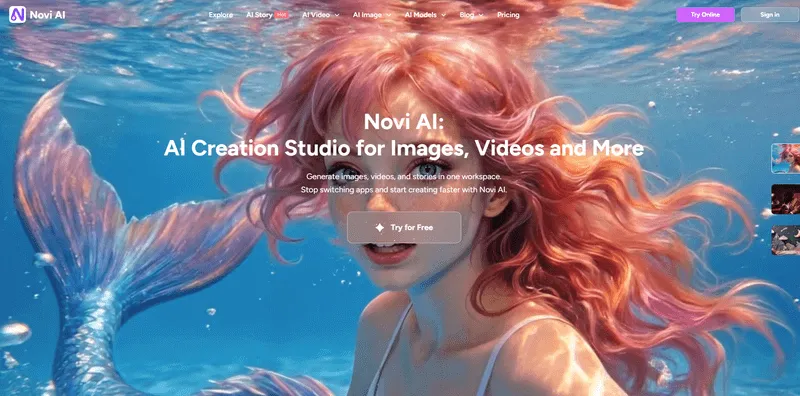
I went to Novi AI's "Bible Story Video Generator" page for inspiration. Then I wrote a simple script:
Scene 1: "Early Sunday morning, Mary Magdalene walked to Jesus's tomb. She was very sad."
Scene 2: "But when she arrived, the big stone was rolled away! The tomb was empty."
Scene 3: "An angel appeared and said, 'Don't be afraid. Jesus is not here. He is alive!'"
Scene 4: "Mary ran to tell the disciples the good news. Jesus had risen!"
Notice: Each scene is 1-2 sentences. Clear, concrete, emotionally honest.
Step 2Generate Storyboard (2 minutes)
I pasted this script directly into Novi AI's "Story Video" feature interface. Then I selected:
- Video size: 16:9 (YouTube format)
- Language: English
- Visual style: Pixar (warm, child-friendly)
Clicked "Preview Storyboard." The AI automatically generated four panels matching my scenes. At this stage, I could add or remove panels, or modify the script if something felt off. I chose to keep all four.
Step 3Generate Video (8-10 minutes)
Clicked "Generate Story Video." Subtitles were automatically added. The platform took about 8 minutes to render (standard for a ~2-minute video).
When the preview loaded, I noticed Scene 2's empty tomb looked too dark. So I clicked on that panel individually and adjusted the prompt: "empty tomb interior, soft morning sunlight streaming through entrance, hopeful atmosphere." Regenerated just that one panel—no need to redo the entire video.
Step 4Final Touches (2 minutes)
Selected a gentle voiceover from the available options (the female narrator with a soft, warm tone worked perfectly). Chose background music from the provided library—something subtle and uplifting.
Clicked "Export." Done.
Total Time: Approximately 15-20 minutes from concept to finished video.
What You Get: A 2-minute animated Easter story video with:
- Consistent Pixar-style visuals
- Auto-generated, synchronized subtitles
- Professional voiceover
- Background music
- Ready to upload to YouTube, show in class, or send to parents

Honestly, your first video probably won't be perfect—but that's the point. Traditional production makes changes expensive and time-consuming, but here you can iterate in minutes instead of hours. The real breakthrough happens around your fifth video, when you realize you've created more content in less time than a single traditional project would've taken. That's when it stops feeling like AI assistance and starts feeling like an actual creative partner.
Why AI Video Matters for Easter Content in 2026?
Let's contextualize this. A Sunday school teacher earning $50,000/year has an effective hourly rate of ~$24. Spending 2 days (16 hours) on a video costs them $384 in time value plus potential outsourcing fees. With AI, that same teacher spends 20 minutes—about $8 in time value.
For a parent making bedtime content for their child, the calculus is even simpler: traditional methods meant "I can't do this." AI means "I made something my kid loved before dinner."
| Feature | Traditional Method | Novi AI (AI-Powered) |
|---|---|---|
| Production Time | 2 to 5 days for a standard 3-minute project. Includes hours of manual asset searching, syncing, and voice recording. | 10 to 20 minutes. A 3-minute video takes approximately 8-10 minutes from input to output. |
| Average Cost | $1,500 – $3,000+. Outsourcing to a professional company typically costs ~$1,000 per minute. | ~100 to 300 Novi AI Coins. Monthly VIP plans range from $14.9 to $59.9, providing 500 to 3,000 coins. |
| Workflow Complexity | Requires coordinating multiple tools, stock libraries, and potentially human talent (voice actors, editors). | One-click generation from script or story prompt. |
Let me briefly explain why video has become essential for Easter storytelling—and why now is the perfect time to start creating. The educational video content landscape has transformed dramatically. What used to require professional studios and five-figure budgets is now accessible to individual creators. Whether you're teaching Sunday school, posting to social media, or creating family bedtime content, your audience expects video—polished, engaging, platform-optimized content that meets families where they already spend time: on screens.
This matters because Easter stories compete for attention in an increasingly crowded digital space. A well-crafted 2-minute animated video will reach more children than a 30-page printed curriculum. The rise of "lean-back" consumption—people watching content on TV screens and tablets—favors episodic, bingeable content. AI tools make producing that kind of series feasible for individuals and small teams who previously couldn't compete with large production companies. That's not about replacing human creativity—it's about removing the technical barriers that used to silence good ideas."
FAQs for Easter Story Videos
1Can I use Novi AI to make free Easter stories?
Yes, with limitations. New users get 80 coins for signing up and 100 more for joining Discord—enough to test the platform and create 1-2 short videos. For sustained creation, the $14.90/month plan (500 coins) lets you make 2-4 complete Easter videos or 10-15 social clips. If you're an educator creating monthly content, that's roughly $3-5 per finished video.
2How long should an Easter story video be?
It depends on your platform: YouTube works best at 2-5 minutes, TikTok/Reels at 30-90 seconds, classroom use at 3-4 minutes, and bedtime stories at 5-8 minutes. My advice? Start shorter than you think you need—it's easier to expand a concept that works than trim an overlong video that loses viewers halfway.
3Can I use it for Bible-based teaching? Are there content restrictions?
Absolutely. Novi AI has a dedicated "Bible Story Video Generator" page specifically for this. Biblical narratives are public domain, though avoid adapting copyrighted modern retellings without permission. Paid tier users get a commercial license for monetization, curriculum sales, or church use.
4I don't have a script. Can AI help me write one?
Novi AI provides prompt libraries and example scripts on various tool pages as templates. You can also use ChatGPT to draft scripts, then paste them into Novi AI for visual generation.
5What if the AI easter story video looks too... "AI"? How do I make it feel authentic?
The key is layering your human touch: record your own voiceover instead of using AI voices, add a 3-second personal intro ("I made this for my Sunday school class"), vary your scene pacing to mimic natural storytelling rhythm, and choose music that reflects your specific tradition rather than generic tracks. The goal isn't hiding that you used AI—it's ensuring the AI served your creative vision rather than replaced it.
6Can I edit videos after exporting?
Yes! Return to any project in "My Projects," edit individual scenes, adjust voiceover or music, and re-export. You're never locked into your first version—if someone suggests the tomb scene is too dark, fix just that panel and send an updated version without starting over.
Conclusion
Easter's meaning isn't diminished when we find new ways to share it—it's amplified. Creating meaningful Easter content doesn't require professional equipment or training, just a story you want to share and some accessible tools. Whether you're making something for your family, students, or a wider audience, the technology that once required studios is now available to anyone.
Your first attempts might feel rough, but that's how everyone starts. The message of hope and renewal at the heart of Easter is too important to let technical barriers stop you from sharing it. If you've been thinking about bringing an Easter story to life through video, the main barrier isn't technical skill—it's simply deciding to begin.
Was this page helpful?

Article by
Aaron Smith