Resources


 Trending Articles

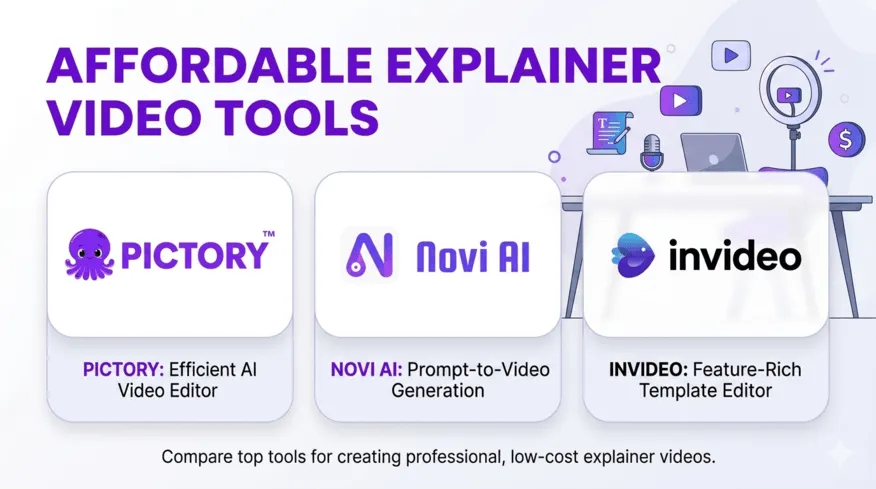
You've built something worth sharing. Maybe it's a SaaS product that solves a problem nobody else addresses quite right, or a service that makes people's work lives genuinely easier. But when you try explaining it to potential customers, you watch their eyes glaze over by the second sentence.
That's the explainer video gap—the space between what your product does and what people understand it does. And closing that gap doesn't require a film degree or a five-figure budget anymore.
Let me walk you through exactly how startups and small teams are creating professional explainer videos today, what these tools actually cost, and—most importantly—when to use AI platforms versus when to call in the professionals.

Want to test this approach yourself?
Novi AI gives new users free credits to generate your first story video—no filming, no editing software, just your script and one click to preview.

What Makes an Explainer Video Actually Work?
An explainer video isn't just "a video about your product"—it's a focused piece of content that answers one question your audience is asking. The best ones hook viewers in the first five seconds with a problem they recognize immediately, present one core message without showcasing every feature, and end with a specific call-to-action like "start your free trial" rather than vague phrases like "learn more." Length matters more than most founders think: aim for 60-90 seconds for website content, or 30-45 seconds for social media. Your internal team might love that three-minute walkthrough, but your website visitors will drop off after 60 seconds.
Style depends entirely on your audience and brand personality. Consumer products can use more vibrant, character-driven styles, while B2B SaaS companies often lean toward clean, minimalist animations with professional voiceovers. Educational platforms might choose whiteboard animations or hand-drawn illustrations. The question isn't "what looks coolest" but "what will my specific audience trust and remember?".
Does AI Make an Explainer Video Cost Less in 2026?
Explainer video options are now more flexible and affordable than ever. At the most basic level, free DIY tools work for internal use but still look rudimentary. The real shift has come from AI-powered platforms, which now cost about $10–30/month and can automatically generate polished, brand-ready videos with custom voices and scene adjustments—a significant step up from manual DIY work at a fraction of traditional costs.
That said, human expertise still has its place. Freelance animators remain a popular middle ground, typically charging $500–2,500 depending on skill and style, and they offer more creative control and nuance than AI alone. For companies with higher stakes, professional agencies start around $2,500–8,000+, providing full production with strategy, storytelling, and premium design—ideal for major launches or investor presentations where quality directly impacts perception.
| Option | Approx. Cost (2026) | What You Get | Best For | Downsides |
|---|---|---|---|---|
| DIY Tools (Canva Free, Kapwing) | Free (time cost) | Basic templates, limited branding | Internal tests, early ideas | Time-consuming, watermarks |
| AI Video Platforms (Novi AI, Pictory, Synthesia) | $10–30/month | Smart automation, custom voices, easy editing | Startups, quick marketing videos | Template styles, limited originality |
| Freelancers | $500–2,500 per video | Personalized animation, tailored script | Brand explainers, marketing assets | Quality varies, longer turnaround |
| Professional Agencies | $2,500–8,000+ | Full creative service—script, design, music, revisions | Major product launches, pitch videos | Higher cost, more lead time |
AI Tools That Actually Deliver Results
1Novi AI: Narrative Video Generation at Scale

Note: I'm covering this tool in more depth because it's newer to the market and takes a fundamentally different approach than traditional video editors—starting with story rather than timeline.
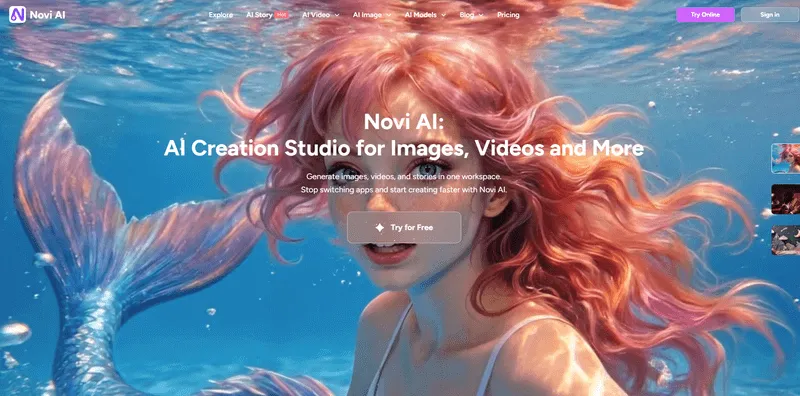
What it does well:
Novi AI takes your script and automatically breaks it into shots, generates animations, adds subtitles, and layers in voiceover and background music. The platform integrates multiple leading AI video models—Veo 3.1, Kling 2.5, Sora 2, Seedance 2.0, Nano Banana Pro, and Seedream—all accessible from one unified hub. This matters because different models excel at different visual styles, so you're not locked into one AI provider's aesthetic.
The platform handles videos up to 5 minutes long, which sets it apart from tools focused purely on short social clips. Visual styles include Ghibli-inspired animation, Pixar-like 3D, line art, clay animation, oil painting, Minecraft aesthetics, watercolor, paper cutout, and cinematic realism. You can also animate static images in one click—useful when you have product screenshots or photos you want to bring to life.
Where it struggles:
Not ideal for projects requiring heavy stock footage editing or ultra-specific brand animations with custom mascot characters across every frame. The platform is optimized for AI-generated visuals, not traditional timeline-based editing workflows. Generation time typically runs 5 to 20 minutes depending on video length and prompt complexity.
Best for:
Three use cases stand out. First, animated explainer videos where you need cohesive storytelling across multiple scenes. Second, faceless AI videos for YouTube or TikTok content where creators want to publish at volume without appearing on camera. Third, UGC-style videos that feel authentic rather than corporate, perfect for social proof or community-driven marketing. Small teams and solo creators who want creative control without learning complex software will find this particularly useful.
Price Reality:
The pricing sits at $14.99 per month for the basic plan (even more affordable with annual or lifetime options). New signups get 80 coins to start, plus 100 more for joining the Discord community—enough to create your first story video or experiment with several shorter clips. The coin-based system lets you scale usage up or down based on your actual needs rather than paying for a monthly allowance you might not use. If you want to see how to use to, here is a video for referrence.
2Powtoon: The Easiest Learning Curve

What it does well:
If you've used Canva, Powtoon will feel immediately familiar. It's basically "Canva for video" with a drag-and-drop interface that doesn't require any animation knowledge. Non-designers consistently report this as the easiest platform to learn. The platform offers AI features including text-to-video, image generation, AI avatars, and dubbing. Templates are genuinely useful and the free plan lets you test the interface before committing.
Where it struggles:
Maximum output quality stops at 1080p—fine for most web content but won't satisfy teams wanting 4K for larger screens. AI features consume credits from your monthly allowance (300 credits in Lite, 500 in Professional), which can feel restrictive if you lean heavily on generative tools. The free plan includes watermarks, a 3-minute HD cap, no MP4 downloads, and access only to basic templates.
Best for:
Quick business animations when you're working from templates. It's optimized for straightforward presentations and business communications rather than complex narrative storytelling or cutting-edge AI-generated scenes. Perfect for teams who need to create content fast without extensive training.
Price Reality:
Lite plan costs $15 per month when billed annually. Professional jumps to $40 per month annually, while Pro+ reaches $125 per month for larger teams. Video lengths cap at 3 minutes on free plan, extending to 20-30 minutes on paid tiers.
3Animaker: Feature-Rich with a Learning Curve

What it does well:
Animaker brings more power for teams willing to invest learning time. The template library is extensive and genuinely professional-looking when you find the right match for your brand. You can create diverse styles—from traditional cartoon animations to whiteboard explainers to character-driven stories. The platform supports 2K and 4K exports in higher tiers (Enterprise level), which matters for teams who want maximum quality flexibility. Custom character builders let you develop branded mascots and maintain visual consistency.
Where it struggles:
Basic and Starter plans cap downloads at 5 to 10 per month, with extra fees if you exceed your allowance. The advanced features that make the platform powerful also create a steeper learning curve compared to Powtoon. Teams often need a few hours of experimentation before they're producing content efficiently. The limits structure gets complicated across different tiers.
Best for:
Creators who want diverse animation options and are willing to invest time learning a more robust tool. Teams producing regular branded content who need professional polish and multiple export formats. Organizations that value having one platform capable of handling everything from quick social clips to polished 4K presentations.
Price Reality:
Free plan offers basic creation capabilities with watermarks and limits. Basic tier costs around $15 per month when billed annually. Starter plan at $25 per month includes generative AI video creation up to 90 seconds monthly, auto-subtitles, text-to-speech, whiteboard animations, premium music library access, and custom character builders. The free-forever plan is genuinely useful for testing whether the platform fits your workflow.
4InVideo AI: Prompt-to-Video Automation

What it does well:
InVideo AI focuses on turning text prompts into complete videos with minimal manual editing. You describe what you want in natural language—for example, "Create a 60-second how-to video explaining our project management tool for remote teams"—and the AI generates a script, selects scenes, adds voiceover, and assembles everything. You then refine via follow-up prompts to adjust tone, audience focus, pacing, or specific scenes. This highly automated approach works beautifully for professional-looking marketing videos or promotional content quickly.
Where it struggles:
Scene caps limit how much you can create before hitting plan boundaries. Occasionally the AI misinterprets prompts, producing script-to-visual mismatches that require iteration. Rendering can lag during peak usage times. Higher tiers unlock more advanced AI capabilities, so budget teams might find themselves constrained by the Plus plan's limits as they scale usage.
Best for:
Non-designers who struggle with traditional timeline editors but have a clear vision of their message. The AI handles most creative decisions, letting you focus on strategic messaging. Particularly effective for teams who need to produce marketing videos at volume without hiring editors.
Price Reality:
Plus plan costs $25 per month ($20 monthly if you pay annually), giving you 50 minutes of AI generation monthly, no watermarks, 1080p exports, access to iStock media, and voice cloning capabilities.
5Pictory: Text-to-Video Specialization

What it does well:
Pictory's focus is laser-sharp: turning blog posts, articles, or scripts into short narrated videos. This makes it ideal for content repurposing—you've already written the material, and Pictory transforms it into video format for YouTube, social media, or educational platforms. The AI automatically selects visuals and voiceovers to match your text content. The emphasis is full automation, so you won't spend time making granular decisions. It's fast for its specific use case.
Where it struggles:
Less editing control means you can't fine-tune pacing or visual choices as precisely as other platforms. The base price is slightly higher than competitors. And it's really optimized for that one workflow (text-to-narration video) rather than branded marketing explainers or custom storytelling. Not ideal if you need timeline-level control or want to create videos from scratch without existing written content.
Best for:
Faceless YouTube channels, educational content creators, and teams who already produce written content but want to expand into video without rebuilding their creation process from scratch. Perfect for bloggers and content marketers who want to maximize the value of existing articles.
Price Reality:
Standard plan starts at $23 per month. You get 30 video projects per month and 60 minutes of transcription time.
6Quick Compare for Affordable Explainer AI Tools
| Tool | What It Does Best | Main Weakness | Best For | Starting Price |
|---|---|---|---|---|
| Novi AI | Turns scripts into full animated videos with voice, music, and multiple AI models (like Sora, Veo, Seedream). | Not for stock footage or timeline editing; generation takes 5–20 mins. | AI-generated story videos, explainers, faceless content, solo creators. | $14.99/mo |
| Powtoon | Easiest to learn; feels like "Canva for video"; great templates. | Max 1080p; AI features use up monthly credits; watermarks on free plan. | Quick business videos, internal comms, fast template-based projects. | $15/mo (Lite) |
| Animaker | Deep features, custom characters, whiteboard + cartoon styles, 2K/4K exports (higher tiers). | Steeper learning curve; download limits on lower plans. | Teams wanting branded, polished videos with flexibility. | $15/mo (Basic) |
| InVideo AI | Creates videos directly from text prompts with automated script + voiceover. | Occasional prompt mismatches; scene limits; slower at peak times. | Marketing videos, fast automation for non-editors. | $25/mo ($20 annual) |
| Pictory | Converts blogs or scripts into narrated videos automatically. | Limited editing control; only fits text-based workflows. | Bloggers, educators, content repurposing from written material. | $23/mo |
When to Hire a Professional Instead
AI tools keep getting better, but they don't solve every problem. Here's when you should consider hiring experienced freelancers or agencies.
You need a flagship piece that anchors your entire marketing strategy. If this video will live on your homepage for the next year, appear in investor presentations, and represent your brand across every channel, the investment in professional strategy and execution usually pays off. Agencies bring expertise in scriptwriting, brand messaging, and storytelling structure that goes beyond just making things move on screen.
Your product requires highly technical visualization. If you're explaining complex enterprise software, medical devices, or scientific processes, professionals who specialize in your industry understand how to visualize concepts accurately without oversimplifying to the point of meaninglessness.
You've already tried DIY and the results don't match your brand standards. Some companies have distinctive visual identities that require custom illustration and animation. If you have specific brand characters, established color systems, or design guidelines that AI tools can't match, working with professionals who can adapt to your exact specifications makes sense.
You're launching something that demands perfection. Series A announcement? Major product launch? Conference keynote? These moments justify professional production. The confidence that comes from knowing your video will look polished in any context—projected on a huge screen, shared by press, or shown to enterprise clients—is worth the investment.
When you do hire professionals, focus on finding the right fit rather than just the lowest price. Look at their portfolio specifically for work in your industry or visual style. Ask how they handle revisions and what's included in the base price versus extras. Get references from past clients, especially other startups or small teams. The best freelancers will push back on your script or concept if they see ways to make it more effective—that strategic input is part of what you're paying for.
Budget $1,500 to $2,500 for a solid freelancer who can deliver quality work with one or two revision rounds. Expect to spend two to four weeks from kickoff to final delivery, including time for script approval, storyboard review, and revisions. Good professionals will ask detailed questions about your audience, brand voice, and goals before touching animation software.
What to Do With Your Explainer Video
Creating the video is half the work. Using it effectively is the other half.
Your homepage needs it above the fold. Not hidden on a features page or buried in your footer. Right there where visitors land, with a clear thumbnail that invites clicking. Most people won't watch—that's fine. The presence of a video signals professionalism and gives people an easy way to understand you quickly if they prefer video to reading.
Social media requires different edits. Take your 60-second explainer and cut it down to 30 seconds for Instagram and TikTok. Create square (1:1) and vertical (9:16) versions. Add captions that display automatically since most people scroll without sound. Post native uploads rather than links—every platform favors native video in their algorithms.
Email campaigns convert better when you include a video thumbnail linked to a landing page. Don't embed video directly in emails (deliverability issues), but a compelling thumbnail with a play button overlay can double click-through rates.
Sales conversations move faster when prospects have watched your explainer before the call. Include it in your email signature, pre-meeting emails, and follow-up messages. Sales teams report shorter calls and higher close rates when prospects come in already understanding the basics.
Paid ads work well with the first 5 to 10 seconds of your explainer as a hook. Most people won't watch 60 seconds of an ad, but a compelling problem statement plus quick solution tease can drive traffic to your landing page where they'll watch the full version.
Test different thumbnails, video lengths, and placements. What works for one audience or platform won't necessarily work for another. The companies getting the best results from explainer videos treat them like any other marketing asset—they test, measure, and iterate based on actual data.
Frequently Asked Questions About Affordable Explainer Videos
1Can I create an explainer video without any animation skills?
Yes, genuinely. Modern AI platforms handle the animation automatically. You provide the script and style preferences, and the software generates the visuals. With something like Novi AI, you'll have your first video generated in 5 to 20 minutes, including the time to review the storyboard and make adjustments. The learning curve is writing a clear script, not mastering animation techniques.
2What's the ideal length for a startup explainer video?
Between 60 and 90 seconds for most purposes. That's enough time to establish a problem, introduce your solution, show one key benefit, and guide people toward the next step. Shorter (30 to 45 seconds) works better for social media where attention spans are compressed. Longer (2 to 3 minutes) only makes sense if you're creating educational content or detailed product walkthroughs, and even then, expect significant drop-off after the first minute.
3Do I need to write my own script or can AI help?
You have options. Write your own script if you want maximum control over every word and phrase—this works well when you have strong copywriting skills or very specific brand voice requirements. Use AI to expand bullet points into a full script if you know your key messages but want help with structure and pacing. Platforms like Novi AI provide prompts enhance feature and generate a complete narrative that you can then refine. Most teams find the middle path works best—AI drafts the structure, they refine the specific language.
4Which tool is best for absolute beginners?
Powtoon has the easiest learning curve if you want template-based animation with drag-and-drop simplicity. It's the Canva equivalent for video. InVideo AI is easiest if you prefer typing prompts and letting the AI make creative decisions rather than learning any interface. Novi AI works well for beginners who want narrative storytelling and don't mind spending 15 minutes understanding how to structure scenes—the payoff is more flexibility and longer-form capability. Try the free trials and see which workflow feels natural to you.
5Can these tools match professional agency quality?
Not quite, but the gap is narrowing fast. AI tools produce professional-looking results that work perfectly well for most startup marketing needs. You'll get clean animations, good voiceovers, proper pacing, and polished output. What you won't get is the deep strategic thinking, custom illustration style, or frame-by-frame perfection that agencies deliver. If you're creating your homepage explainer for a Series A launch, hiring professionals makes sense. If you're creating weekly educational content or social media videos, AI tools deliver 85% of the quality at 5% of the cost—and that math works for most teams.
Conclusion
Most startups creating explainer videos today aren't choosing between AI tools and agencies—they're using both strategically. AI platforms for regular content generation, experiments, and scaling video across channels. Professionals for flagship pieces that need to be perfect. The real breakthrough is that you can actually afford to test video marketing now, learn what works for your specific audience, and scale what performs.
Was this page helpful?

Article by
Aaron Smith